


Parking & Ticketing Hardware Solutions

Reliable Hardware for High-Volume Parking and Ticketing Systems
Most parking and ticketing projects are evaluated by transaction speed.Experienced operators often evaluate them differently.They focus on uptime.Because drivers rarely notice a ticket printer that works correctly.They immediately notice one that doesn’t.A ticket that fails to print.A kiosk that requires manual assistance.Or an entry lane that stops processing vehicles during busy periods.Successful parking automation depends on more than software integration.It depends on hardware that continues operating reliably through thousands of daily transactions and changing environmental conditions.
SNRO provides hardware solutions for parking kiosks, ticketing terminals and automated access systems, including kiosk printers, barcode scanners, QR code readers, payment devices and other self-service terminal components designed for long-term unattended operation.
Whether deployed in parking facilities, transportation hubs, event venues or access control systems, reliable hardware helps maintain operational efficiency and user satisfaction.
Quick Answer
A parking and ticketing hardware system usually includes a kiosk printer, presenter or ticket retract mechanism, QR or barcode scanner, payment module, industrial mini PC, touchscreen, and connection to the parking management platform.
For parking system integrators, the key challenge is not only selecting each device. The real challenge is making the complete workflow reliable during peak traffic: ticket issuing, QR validation, payment processing, receipt printing, gate control, exception handling, and long-term maintenance.
Reliable parking kiosk hardware should therefore be selected according to transaction volume, paper capacity, ticket handling behavior, operating system, communication interfaces, environmental exposure, maintenance access, and long-term uptime requirements.
What System Integrators Usually Ask Before Starting a Parking Project?
Before hardware selection begins, many deployment teams ask very similar questions:
“Will this printer continue working during peak traffic hours?”
“Can the system communicate with multiple peripherals simultaneously?”
“What happens if drivers leave tickets uncollected?”
“Will maintenance requirements increase after deployment?”
“Can future service calls be reduced?”
These questions often influence project decisions more than raw specifications.
Over time, many teams discover reliability and maintenance costs become more important than printing speed.
Understanding a Typical Parking Kiosk Deployment
Many teams discover later that parking systems rarely become difficult because of print speed.
Most service requests happen around user behavior.
- Drivers pull tickets early.
- Tickets remain uncollected.
- Paper handling becomes inconsistent.
- Environmental variables appear.
- Communication interruptions occur.
Typical deployment:
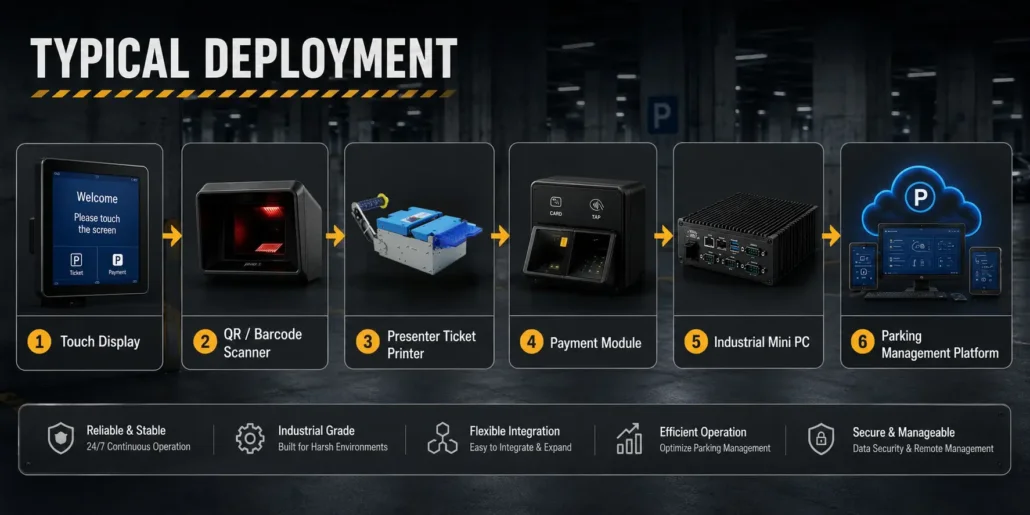
Touch Display – > QR / Barcode Scanner ->Presenter Ticket Printer ->Payment Module ->Industrial Mini PC ->Parking Management Platform
Planning hardware architecture early often simplifies deployment later.
Recommended Hardware Architecture for Parking and Ticketing Kiosks
| Hardware Module | Typical Function | Integration Concern |
| Touchscreen | User interaction, ticket payment, menu operation | Durability, visibility, installation angle, UI workflow |
| Presenter ticket printer | Ticket issuing, receipt printing, controlled paper output | Paper capacity, presenter function, ticket retract, jam recovery |
| QR / barcode scanner | Ticket validation, mobile code reading, payment or reservation code scanning | Scan distance, lighting condition, interface support |
| Payment module | Card payment, contactless payment, fee collection | Certification, security, software integration, installation space |
| Industrial mini PC | Main controller for printer, scanner, payment device and gate communication | COM ports, USB expansion, Linux or Windows support, 24/7 operation |
| Parking management platform | Transaction control, fee calculation, gate authorization | API stability, network reliability, backend synchronization |
| Gate / barrier interface | Vehicle access control after payment or validation | Signal timing, relay control, safety logic, failure handling |
| Remote monitoring module | Device status, fault reporting, maintenance alerts | Printer status, paper level, scanner status, network status |
A Small Problem That Becomes a Big Maintenance Issue
One detail many teams underestimate during planning is user behavior.
Drivers rarely interact with parking kiosks carefully.
Some users immediately pull tickets.
Some leave tickets behind.
Some repeatedly request multiple tickets.
Individually these actions appear small.
Across thousands of transactions, they often become recurring maintenance requests.
This is one reason unattended parking deployments frequently prioritize ticket handling reliability over pure printing speed.
An Industry Pattern We Continue Seeing
Across parking deployments, many teams initially evaluate hardware using technical specifications:
- print speed
- processor performance
- interfaces
- paper capacity
Later in the project cycle, priorities often shift toward:
- maintenance frequency
- ticket handling behavior
- integration complexity
- environmental reliability
- long-term operating cost
This pattern appears repeatedly across unattended deployments.
What We Frequently See in Real Parking Projects?
Across unattended deployments, similar requirements appear repeatedly:
- entry ticket printing
- QR validation
- payment processing
- receipt generation
- gate control
Individually, each component works correctly.
The challenge often begins when all systems require simultaneous communication inside compact unattended kiosks.
Ticket Printing and Receipt Printing Are Not the Same
At first glance, parking ticket printers and receipt printers appear similar.In real deployments, their operating environments are very different.Parking systems frequently encounter:
- ✓ users pulling tickets early
- ✓ abandoned tickets
- ✓ high traffic periods
- ✓ outdoor operation
- ✓ repeated operation throughout the day
Because of this, many deployment teams evaluate presenter and retract mechanisms early.
Recommended reading: Presenter Printer vs Standard Printer
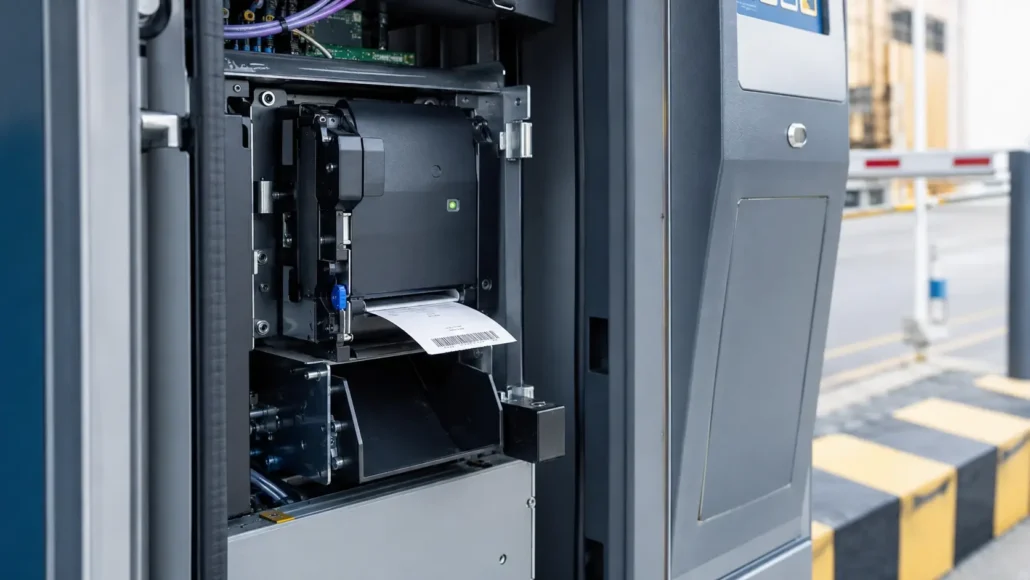
Hardware Components Frequently Used in Parking Systems
Presenter Ticket Printer
Users may:
- pull tickets aggressively
- leave tickets uncollected
- interact unexpectedly
Many projects increasingly prefer:
- ✓ Presenter functionality
- ✓ Auto retract capability
- ✓ Anti-jam structure
- ✓ High-speed thermal printing
If your deployment frequently handles unattended users, Ticket Retract Systems can significantly reduce maintenance requirements.
Fanless Industrial Mini PC
Your controller may become one of the least visible—but most important—parts of your deployment.
Many teams initially compare CPU specifications.
Later they discover: interface compatibility,continuous operation,peripheral communication often matter more.
Many projects require:
Barcode Scanners,POS Systems,Payment Modules
Common Hardware Challenges in Parking & Ticketing Deployments
Parking and ticketing systems often operate continuously throughout the day.
Unlike supervised service counters, self-service terminals must continue processing transactions with minimal operator intervention.
Over time, several hardware-related challenges become increasingly important.
Ticket Printing Reliability
Ticket printers are among the most heavily used components in parking and ticketing systems.
Even brief interruptions can affect traffic flow and user experience.
Common operational concerns include:
- Ticket jams
- Media handling issues
- Paper replacement procedures
- Print quality degradation
- Maintenance accessibility
Reliable ticket printing remains one of the most important factors in long-term system performance.
Environmental Conditions
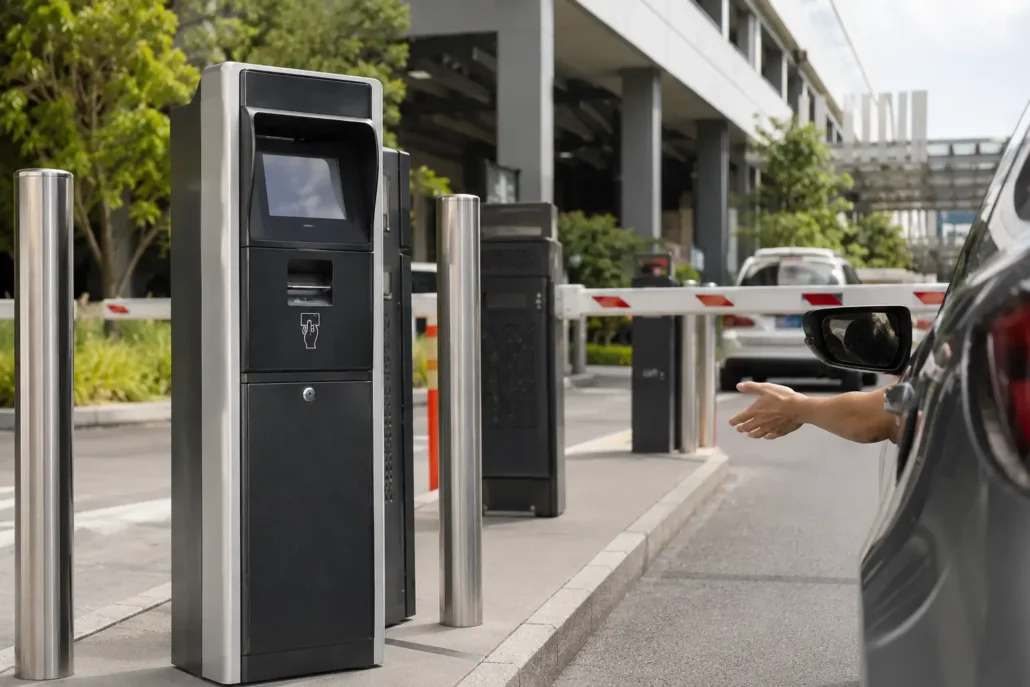
Many parking and ticketing terminals operate in environments that are more demanding than traditional indoor kiosks.
Exposure to:
- Dust
- Humidity
- Temperature fluctuations
- Outdoor air circulation
can influence hardware performance over time.
For this reason, environmental suitability is often evaluated alongside hardware specifications.
High-Volume Traffic Periods
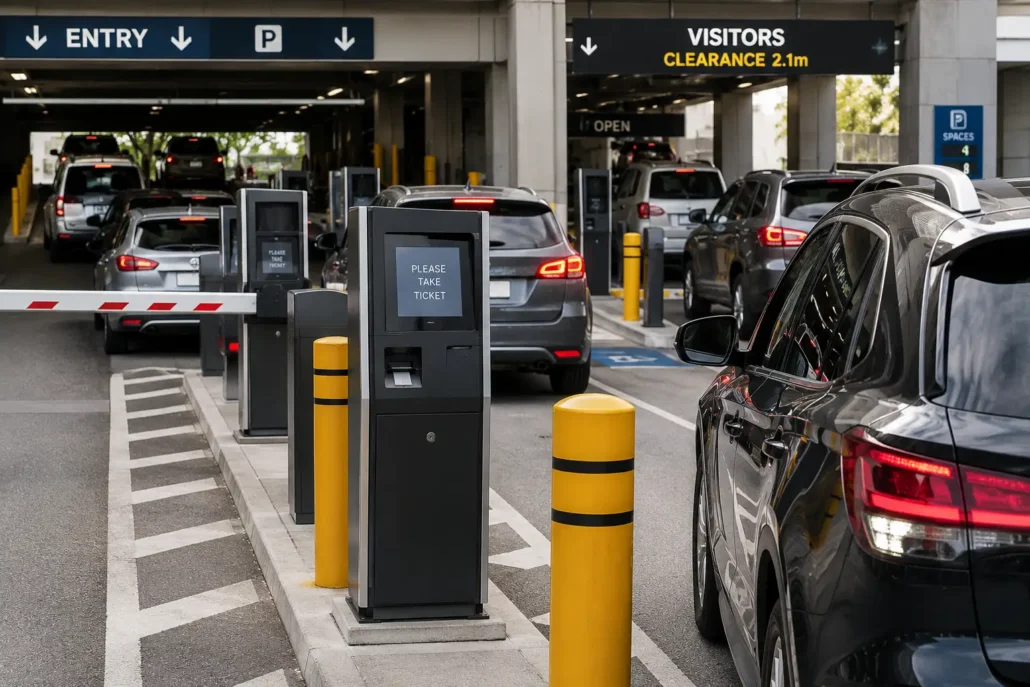
Peak traffic periods frequently reveal challenges that are difficult to identify during testing.
Rush-hour vehicle entry.
Event traffic.
Weekend shopping peaks.
These conditions place additional demands on ticket printers, scanners and payment devices.
Reliability becomes increasingly important as transaction volume grows.
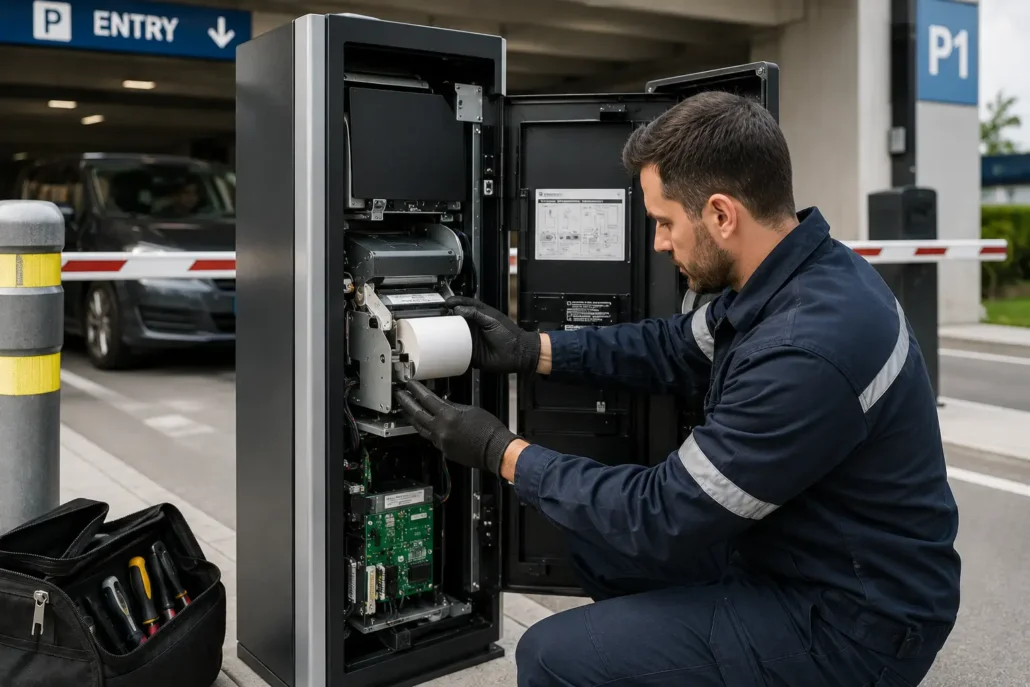
Maintenance Accessibility
Hardware maintenance is often easiest to evaluate before deployment and most expensive to improve afterward.
Accessible hardware designs can help reduce:
- Service time
- Operational downtime
- Maintenance costs
- Traffic disruption
Experienced operators often consider maintenance accessibility as important as hardware performance specifications.
What We Frequently Hear From System Integrators?
“We need fewer maintenance calls.”
“The previous printer had paper handling problems.”
“Internal kiosk space is limited.”
“Too many peripherals require simultaneous communication.”
“This system must operate continuously.”
These concerns often influence hardware selection more than raw specifications.
Why Teams Eventually Replace Existing Parking Hardware?
Many deployments do not replace hardware because printing stops working.
Replacement decisions often happen because small operational issues gradually increase maintenance requirements.
Common reasons:
- ✓ paper jams
- ✓ ticket pull issues
- ✓ communication instability
- ✓ interface limitations
- ✓ maintenance complexity
- ✓ growing service requirements
Long-term operational cost eventually becomes more important than initial hardware cost.
Deployment Environment Matters More Than Many Teams Expect
A printer operating inside a shopping mall parking kiosk behaves very differently from one installed at an outdoor toll station.
Factors frequently influencing selection:
- ✓ temperature variation
- ✓ dust exposure
- ✓ humidity
- ✓ operating hours
- ✓ traffic volume
- ✓ available installation space
Many teams initially focus on specifications and evaluate operating environments later.
How Teams Usually Evaluate Parking Hardware?
Some projects prioritize:
✓ compact installation
✓ cost control
Others prioritize:
✓ unattended operation
✓ retract functionality
✓ continuous runtime
✓ maintenance reduction
The right choice often depends on deployment priorities rather than one specification.
Typical Hardware Selection Matrix for Parking Projects
| Deployment Type | Typical Hardware Configuration | Main Evaluation Point |
| Parking entry terminal | Presenter ticket printer + QR/barcode scanner + industrial PC | Ticket issuing reliability and gate control timing |
| Parking payment station | Kiosk printer + payment device + scanner + industrial PC | Payment workflow, receipt printing and maintenance access |
| Toll collection system | Presenter printer + industrial controller + payment module | High-volume operation and fast ticket handling |
| Smart parking kiosk | Presenter printer + scanner + payment module + industrial PC + platform connection | Multi-device communication and remote monitoring |
| Transportation ticketing terminal | Ticket printer + QR scanner + payment module + control platform | Ticket format, scan reliability and peak transaction volume |
Recommended Hardware for Parking Ticketing Systems
Different parking projects require different hardware architectures depending on traffic volume, ticket handling requirements and deployment environment.
SNR-KP802-VX Presenter Kiosk Printer
Recommended for parking entry terminals, exit stations and unattended deployments that require controlled ticket delivery and optional ticket retract functionality. The presenter mechanism helps reduce abandoned tickets, user interference and ticket handling issues in high-traffic environments.
SNR-KP800-VX Kiosk Thermal Printer
Suitable for parking payment kiosks and general parking ticketing systems that require large paper roll capacity, reliable ticket printing and easy maintenance access. A practical choice for long-term unattended operation.
SNR-KP805 Kiosk Thermal Printer
A cost-effective 80mm kiosk printer solution for parking payment terminals, access control systems and budget-sensitive parking projects. Large paper roll support and anti-jam design help reduce service requirements.
SNR-EP8200 Fixed Mount Barcode Scanner
Provides stable system control and peripheral communication for parking kiosks, supporting ticket printers, barcode scanners, payment modules and parking management software platforms.
IBC-N8 Fanless Industrial Mini PC
Provides stable system control and peripheral communication for long-term unattended parking kiosk operation.
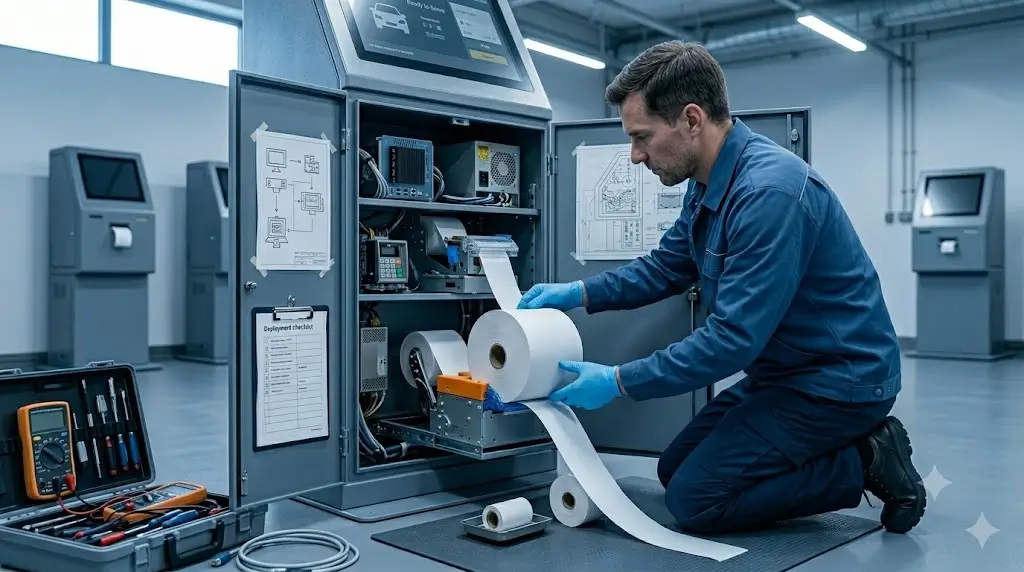
Why Reliability Matters More Than Speed in Parking Systems
Many parking system specifications focus on transaction speed.
Ticket issuance speed.
Scanning speed.
Payment processing speed.
These metrics are important.
However, experienced operators often discover that long-term reliability has a greater impact on daily operations.
A parking terminal that completes transactions one second faster offers little value if downtime increases.
Operational reliability affects:
- Traffic flow
- Revenue collection
- Customer satisfaction
- Service costs
- System availability
For this reason, parking operators frequently evaluate reliability, maintenance requirements and long-term serviceability alongside performance specifications.
Successful deployments depend not only on processing transactions quickly, but on continuing to process them consistently.
What are the technical Resources You May Need During Integration?
Frequently requested resources include:
- ✓ SDK packages
- ✓ communication protocols
- ✓ drivers
- ✓ interface specifications
- ✓ command documentation
- ✓ wiring diagrams
Technical Resources for Parking System Integration
Successful parking kiosk deployment often depends on efficient hardware integration. Commonly requested engineering resources include:
- Linux Drivers
- Windows Drivers
- SDK Packages
- Communication Protocol Documents
- Mechanical Drawings
- CAD Files
- User Manuals
- Integration Guides
Visit our SDK & Drivers Center to access available technical resources for parking system development and deployment.
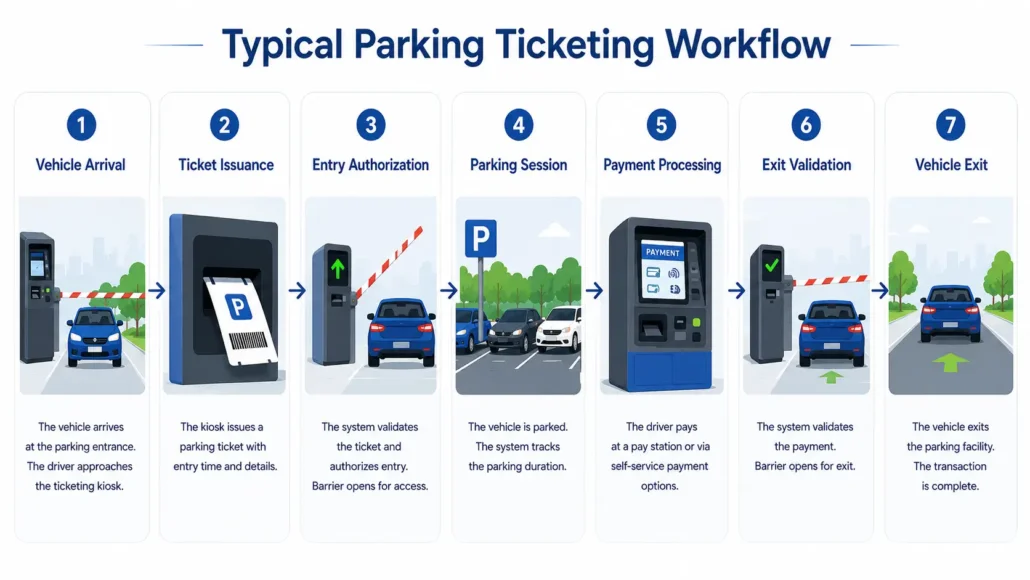
Typical Parking Projects We Support
Our hardware solutions are commonly deployed in a wide range of parking and access control applications.
- Parking Entry and Exit Stations
- Parking Payment Kiosks
- Automatic Ticket Issuing Systems
- License Plate Recognition Systems
- Smart Parking Management Platforms
- Transportation Ticketing Systems
- Toll Collection Terminals
- Vehicle Access Control Kiosks
- Commercial Parking Facilities
- Airport and Transportation Parking Systems
Frequently Asked Questions
What hardware does a parking kiosk typically include?
- Touchscreen
- Fixed mount Scanner
- Ticket printer
- Payment module
- Industrial PC
Actual combinations depend on deployment requirements.
What printer type is commonly used in parking systems?
Thermal ticket printers are commonly used because they support compact installation and lower maintenance requirements.
Why do parking kiosks commonly use presenter printers?
Presenter printers help control ticket delivery before users collect tickets.
Can your printer retract uncollected tickets?
Yes.Specific models support automatic retract functionality.
How large should a parking kiosk paper roll be?
Higher-traffic parking facilities generally benefit from larger paper roll capacity because it reduces refill frequency and maintenance visits. The appropriate size depends on transaction volume and service intervals.
Why do parking ticket printers experience paper jams?
Common causes include media handling issues, environmental conditions, improper loading procedures and delayed maintenance.
Do parking systems require Linux-compatible printers?
Many modern parking systems operate on Linux-based platforms. For this reason, Linux driver support, SDK availability and communication protocol documentation are frequently evaluated during hardware selection.
What hardware is typically used in parking payment kiosks?
A typical parking payment kiosk may include a ticket printer, barcode or QR scanner, payment device, industrial controller, touchscreen display and parking management software platform.
Why is maintenance accessibility important in parking systems?
Accessible hardware can reduce service time, minimize downtime and improve overall system availability, especially in high-traffic environments.
How do environmental conditions affect parking kiosk hardware?
Dust, humidity and temperature fluctuations can influence the long-term performance of printers, scanners and other self-service terminal components.
What is the best printer for parking ticket machines?
The answer depends on the deployment requirements. For parking entry and exit terminals that require controlled ticket delivery, presenter kiosk printers such as the SNR-KP802-VX are commonly selected. For parking payment kiosks and receipt printing applications, SNR-KP800-VX and SNR-KP805 are popular choices.
What is the difference between a presenter printer and a standard kiosk printer?
A presenter printer controls ticket delivery before the user collects the ticket and may support automatic ticket retract functionality. Standard kiosk printers typically cut and output the ticket immediately without controlling collection behavior.
Why do parking systems use ticket retract printers?
Retract functionality reduces abandoned ticket and paper handling issues.
Why do parking kiosks experience ticket jams?
Common causes:
- user behavior
- environmental conditions
- paper handling
- communication issues
Parking Project Planning Checklist
□ ticket size
□ traffic volume
□ kiosk dimensions
□ payment requirements
□ operating system
□ communication interfaces
□ environment
□ retract functionality
Small planning decisions early often prevent larger deployment problems later.
What’s a Common Deployment Scenario?
A deployment team initially focused on print speed and payment workflows.
Later testing showed:
The printer worked.
The scanner worked.
The payment terminal worked.
But during busy traffic periods, users frequently pulled tickets before printing completed.
The issue was not speed.
The issue was ticket handling behavior.
What Often Happens During Final Testing?
Early testing:
Everything works.
Full traffic simulation:
Unexpected behaviors appear.
Users collect tickets differently.
Peripheral timing changes.
Small issues become visible only after complete workflows operate simultaneously.
Why Deployment Teams Sometimes Standardize Hardware?
Organizations often standardize hardware because of:
✓ easier maintenance
✓ spare parts simplicity
✓ familiar workflows
✓ lower training requirements
✓ consistent operation experience
Related Products
- Kiosk Thermal Printers
- Card Dispensers
- Card Collectors
- Fixed Mount Barcode Scanners
- Industrial Mini PCs
- POS Thermal Receipt Printers
Related Resources
- Kiosk Printer Hub
- How to Choose a Kiosk Printer in 2026
- How to Choose a Kiosk Printer for Parking Systems
- Raspberry Pi Linux parking kiosk printer integration
- Linux Kiosk Printer Integration Guide
- Kiosk Printer SDK Guide
- Full kiosk printer selection guide
- Why Paper Roll Capacity Matters More Than Many Teams Expect
- Why Kiosk Printers Jam in Real Self-Service Deployments
- 58mm vs 80mm Kiosk Printer
- Presenter Printer vs Auto Cutter Printer
- Kiosk Printer Categories
- Why Maintenance Accessibility Matters in Self-Service Kiosk Design
Related Solutions
- Hotel Self Check-in Hardware Solutions
- Ticket Vending Machine Hardware Solutions
- Banking Self-Service Terminal Hardware Solutions
- Visitor Management Kiosk Solutions
- Self-Service Kiosk Hardware Solutions
- Smart Locker Hardware Solutions
- Self-Checkout Hardware Solutions
- Queue Management Hardware Solutions
Need Help Evaluating Hardware for Your Parking Deployment?
If you are planning a parking entry terminal, parking payment kiosk, ticket issuing machine, toll collection terminal, or smart parking management platform, SNRO can help review the hardware configuration before sample testing.
Useful project information includes:
– Ticket dimensions
– Paper width and roll capacity requirement
– Expected daily transaction volume
– Kiosk size and installation layout
– Operating system
– Communication interfaces
– Payment workflow
– Scanner requirement
– Presenter or retract requirement
– Deployment environment
Share your project requirements with SNRO, and our team can help recommend a suitable hardware combination for your parking and ticketing system.