


Blog
How to Choose a Kiosk Printer in 2026?

Quick Answer
To choose a kiosk printer in 2026, system integrators should evaluate the deployment environment, transaction volume, paper width, paper roll capacity, presenter or cutter design, interface support, driver compatibility, maintenance accessibility, and long-term service workload.
For unattended self-service kiosks, the best printer is not always the fastest model. It is the printer that matches the kiosk workflow, user behavior, paper path, operating environment, and field maintenance plan. In many projects, paper replacement frequency, jam recovery, and service access affect long-term operation more than print speed alone.
Most Kiosk Printer Decisions Look Simple at the Beginning
Several years ago, a customer contacted us during the planning stage of a self-service project.
The question seemed straightforward.
“Which kiosk printer should we choose?”
The discussion quickly focused on familiar topics.
Print speed.
Paper width.
Interfaces.
Cost.
Everything looked easy to compare.
A few months later, the system was deployed.
About a year after that, the same customer reached out again.
This time, the discussion was completely different.
Nobody was talking about print speed anymore.
The conversation revolved around maintenance visits.
Paper replacement frequency.
Service downtime.
User behavior.
The printer was still printing.
The challenges came from everything around the printer.
And that is often where kiosk printer selection becomes much more interesting.
Most printer decisions are made in meeting rooms.
Their consequences usually appear in maintenance logs.
Why Choosing a Kiosk Printer Is Different From Choosing a Desktop Printer
A desktop printer operates in a controlled environment.
A kiosk printer often does not.
Self-service terminals may operate:
- 24 hours a day
- Without supervision
- In public environments
- Under changing weather conditions
- With thousands of users interacting with them
The printer is no longer just a printer.
It becomes part of an operational system.
That distinction changes how experienced teams evaluate hardware.
Start With the Environment, Not the Datasheet
One of the most common mistakes in early projects is comparing specifications before understanding deployment conditions.
Experienced integrators often reverse the process.
They first ask:
Where will the printer operate?
A printer installed inside a hospital lobby experiences different conditions than a printer installed in a parking facility.
A hotel self check-in kiosk faces different usage patterns than a visitor registration terminal.
Environmental factors often influence reliability more than specification sheets suggest.
Questions worth asking include:
- Will dust be present?
- Will humidity fluctuate?
- Is the kiosk located indoors or outdoors?
- How often will maintenance be performed?
- How accessible is the installation site?
The answers frequently determine the best printer choice.
Transaction Volume Changes Everything
A printer handling fifty transactions per day and a printer handling two thousand transactions per day may look identical on paper.
Operationally, they are very different.
Many issues only become visible when transaction volume increases.
Paper consumption rises.
Wear accumulates.
Small inefficiencies become recurring costs.
One operator described it perfectly:
“The printer didn’t change.
The transaction volume did.”
And suddenly maintenance schedules, paper capacity and service efficiency became much more important than originally expected.
This is why experienced teams estimate future transaction volumes carefully before selecting hardware.
Because scale tends to expose weaknesses that testing rarely reveals.
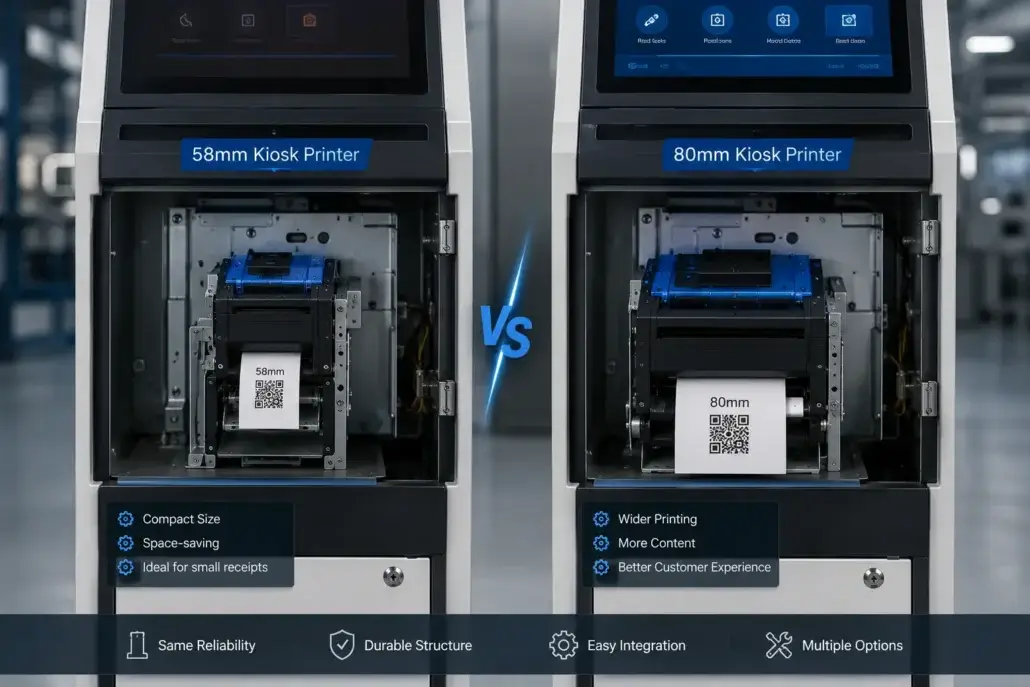
The 58mm vs 80mm Discussion Usually Isn’t About Paper
Most procurement discussions start by comparing receipt width.
That seems logical.
Yet many experienced technicians eventually view the decision differently.
In one parking kiosk deployment, a compact 58mm printer was selected to reduce cabinet size.
The installation worked exactly as planned.
The printer performed well.
Users were satisfied.
The unexpected issue appeared months later.
Technicians discovered they were replacing paper rolls far more frequently than anticipated.
The printer wasn’t creating problems.
The maintenance assumptions were.
That doesn’t mean 58mm was the wrong choice.
It means paper width often influences operational workload more than people expect.
Print Speed Is Important
But Not Usually for the Reason Teams Expect
Print speed is one of the most commonly compared specifications.
And it certainly matters.
Nobody wants users waiting unnecessarily.
However, after enough deployments, many operators discover that real-world delays are rarely caused by insufficient print speed.
More commonly, downtime comes from:
- paper handling issues
- maintenance delays
- environmental contamination
- cutter wear
- user interactions
A printer capable of printing extremely fast still creates frustration if service interruptions become frequent.
This is why reliability often matters more than peak performance.
A printer that is slightly slower but consistently available is often more valuable than a faster printer that requires frequent attention.
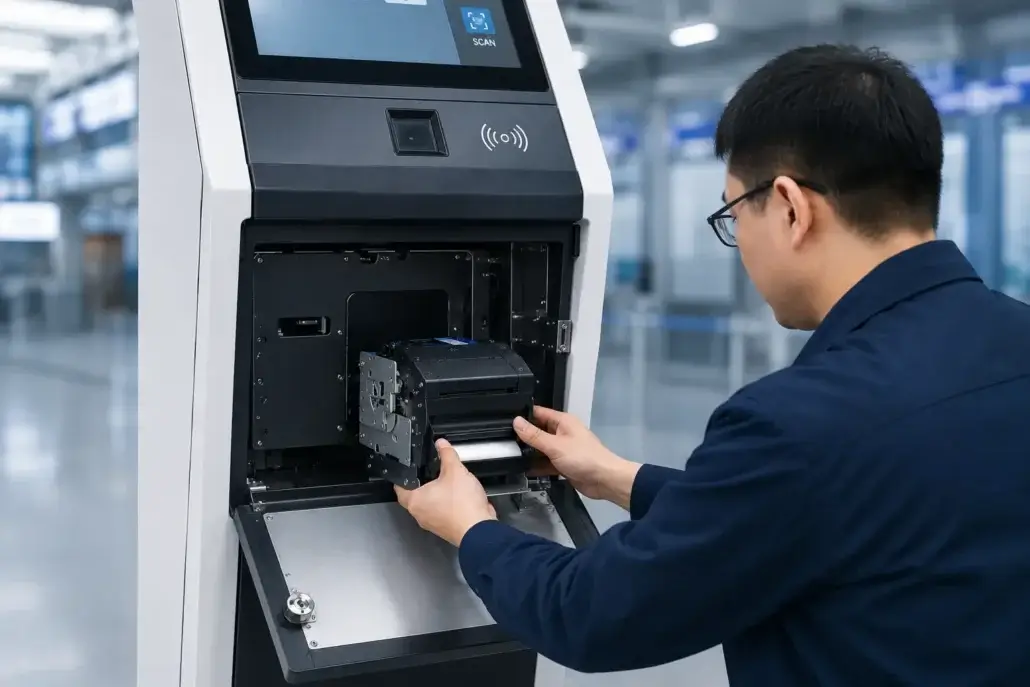
Maintenance Accessibility Is Usually Underestimated
This topic receives far less attention than it deserves.
Installation teams often focus on how equipment fits inside the kiosk.
Maintenance teams focus on how easily they can access it later.
Those priorities are not always the same.
One field technician once joked:
“Everybody loves compact designs until they have to service them.”
There is a lot of truth behind that statement.
Questions worth asking include:
- How quickly can paper be replaced?
- Can technicians access the printer without removing multiple panels?
- How long does routine maintenance require?
- Can service tasks be completed on-site efficiently?
A few extra minutes may seem insignificant.
Until hundreds of maintenance visits accumulate over several years.
User Behavior Matters More Than Most Specifications
Testing environments assume predictable behavior.
Real users rarely behave predictably.
People walk away.
People ignore instructions.
People pull receipts unexpectedly.
People abandon transactions.
People become distracted.
The most successful kiosk deployments usually account for this reality.
Features such as:
- presenter mechanisms
- anti-jam designs
- retract functions
often provide value because of user behavior rather than printing performance.
Many operational challenges are not caused by hardware.
They are caused by humans interacting with hardware.
Think About Year Three, Not Week Three
Most printers perform well immediately after installation.
That is expected.
The more useful question is:
How will the printer perform after three years?
By then the system may have experienced:
- hundreds of paper roll replacements
- changing operating conditions
- thousands of maintenance interventions
- millions of printed receipts
This is where long-term design choices become visible.
Experienced operators rarely evaluate hardware only for launch day.
They evaluate how manageable it will remain years later.
What Experienced Integrators Usually Ask First
After enough projects, priorities change.
Instead of asking:
“Which printer has the most features?”
Experienced teams ask:
- How often will this require maintenance?
- What happens if users don’t follow instructions?
- How accessible is the printer?
- What operational issues typically appear after deployment?
- What will technicians think about this design two years from now?
Those questions often lead to better decisions.
Because successful deployments are built around operational realities rather than ideal assumptions.
Kiosk Printer Selection Checklist for System Integrators
| Selection Point | What to Check | Why It Matters |
| Deployment environment | Indoor, outdoor, dust, humidity, temperature | Environment affects paper handling, cutter life, and printer reliability |
| Transaction volume | Daily tickets, peak-hour usage, expected growth | Higher volume changes paper capacity and maintenance planning |
| Paper width | 58mm, 80mm, or custom ticket width | Width affects receipt format, cabinet space, and paper roll capacity |
| Paper roll capacity | Roll diameter and replacement interval | Small rolls may increase service visits in high-volume deployments |
| Cutter or presenter | Auto cutter, presenter, retract function | User behavior and unattended operation often require controlled paper output |
| Interface | USB, RS232, Ethernet, TTL, or custom interface | Interface must match the kiosk controller and software platform |
| Driver and SDK | Windows, Linux, command set, sample code | Integration support affects development time and troubleshooting |
| Maintenance access | Front access, paper loading direction, service clearance | Poor access increases field service time and downtime |
| Status feedback | Paper near-end, paper out, cutter error, jam status | Remote monitoring needs actionable device status |
| Long-term support | Spare parts, firmware, documentation, supplier support | Kiosk deployments often run for several years |
The Best Kiosk Printer Is Usually the One Nobody Talks About
This may sound strange.
But many operators understand it immediately.
The printers people remember most are often the ones causing problems.
The printers nobody talks about are usually doing their job quietly every day.
Printing.
Cutting.
Operating.
Without creating additional work.
That is often the real definition of a successful deployment.
Short Industry Takeaway
Choosing a kiosk printer in 2026 involves much more than comparing technical specifications.
Transaction volume.
Maintenance accessibility.
Environmental conditions.
User behavior.
Long-term operating costs.
These factors often have a greater impact on deployment success than print speed alone.
Because the real evaluation of a kiosk printer does not happen during procurement.
It happens after years of operation.
The best kiosk printer is usually not the one that impresses engineers during testing.
It is the one technicians stop talking about after deployment.
Frequently Asked Questions
What factors are most important when choosing a kiosk printer?
Transaction volume, maintenance accessibility, environmental conditions, user behavior and long-term reliability are often more important than specifications alone.
Is print speed the most important specification?
Not necessarily. Reliability, serviceability and deployment suitability frequently have a greater impact on operational success.
How do I choose between 58mm and 80mm kiosk printers?
Consider both receipt requirements and maintenance implications, including paper capacity, replacement frequency and available installation space.
Why does maintenance accessibility matter?
Easy maintenance reduces service time, operational costs and downtime throughout the life of the deployment.
Which industries commonly use kiosk printers?
Kiosk printers are widely used in hotel self check-in, healthcare, parking, ticketing, visitor management and payment applications.
What type of kiosk printer is best for unattended self-service terminals?
For unattended self-service terminals, a kiosk printer with reliable paper handling, clear status feedback, suitable paper capacity, and easy maintenance access is usually preferred. In high-traffic applications, a presenter or auto cutter design may help reduce user-related paper problems.
When should a kiosk use a presenter printer?
A presenter printer is useful when the kiosk needs to hold the receipt or ticket until printing is complete, reduce user pulling during printing, or manage abandoned receipts. It is commonly used in parking terminals, ticket vending machines, banking kiosks, and other unattended environments.
What should system integrators test before approving a kiosk printer?
System integrators should test paper loading, repeated printing, cutter operation, paper near-end and paper-out status, jam recovery, driver compatibility, interface stability, power interruption, user pulling behavior, and maintenance access inside the final kiosk enclosure.
Recommended SNRO Hardware Solutions
58mm Kiosk Printer Series
Suitable for compact kiosk deployments and space-constrained applications.
80mm Kiosk Printer Series
Suitable for high-volume self-service systems requiring larger media capacity.
Presenter & Auto Cutter Printer Solutions
Suitable for unattended environments, high-traffic deployments and security-sensitive applications.
Related Guides
- Kiosk Printer Hub
- Kiosk Printer Buying Guide
- Presenter Printer vs Auto Cutter Printer: The Difference Many Teams Only Understand After Deployment
- Why Kiosk Printers Jam in Real Self-Service Deployments
- 58mm vs 80mm Kiosk Printer: Which One Fits Your Deployment?
- Why Maintenance Accessibility Matters in Self-Service Kiosk Design?
- Kiosk Printer SDK Guide
- Linux Kiosk Printer Integration Guide
- Why Paper Roll Capacity Matters More Than Many Teams Expect in Self-Service Kiosks
Related Solutions
- Hotel Self Check-in Hardware Solutions
- Visitor Management Kiosk Solutions
- Queue Management Hardware Solutions
- Parking & Ticketing Hardware Solutions
- Ticket Vending Machine Hardware Solutions
- Self-Checkout Hardware Solutions
- Banking Self-Service Terminal Hardware Solutions
Planning a Self-Service Kiosk Project?
Most teams begin by comparing specifications.Experienced operators eventually spend more time evaluating operational realities.Because printers do not spend their lives on specification sheets.They spend their lives inside kiosks, serving real users, in real environments, under real operating conditions.And that is where the best printer decisions are ultimately made.
If you are selecting a kiosk printer for a parking terminal, ticket vending machine, payment kiosk, queue system, hotel self check-in kiosk, or other unattended self-service terminal, SNRO can help review the printer configuration before sample testing.
Send us your paper width, ticket format, expected daily print volume, interface requirement, operating system, and kiosk installation layout. Our team can recommend a suitable kiosk printer module for your project.


