


Blog
Why Maintenance Accessibility Matters in Self-Service Kiosk Design?

A Lesson Many Teams Learn Too Late
Maintenance accessibility is often overlooked during kiosk design. Learn why serviceability, maintenance access and operational efficiency have a major impact on long-term self-service kiosk reliability and operating costs.
The Kiosk Looked Great on Installation Day
Several years ago, a customer proudly showed us a newly completed self-service kiosk project.
The cabinet looked excellent.
Modern.
Compact.
Clean.
The industrial design team had done a remarkable job.
The kiosk occupied less space than originally planned.
The printer fit perfectly.
Everything appeared successful.
A few months later, the maintenance team had a different opinion.
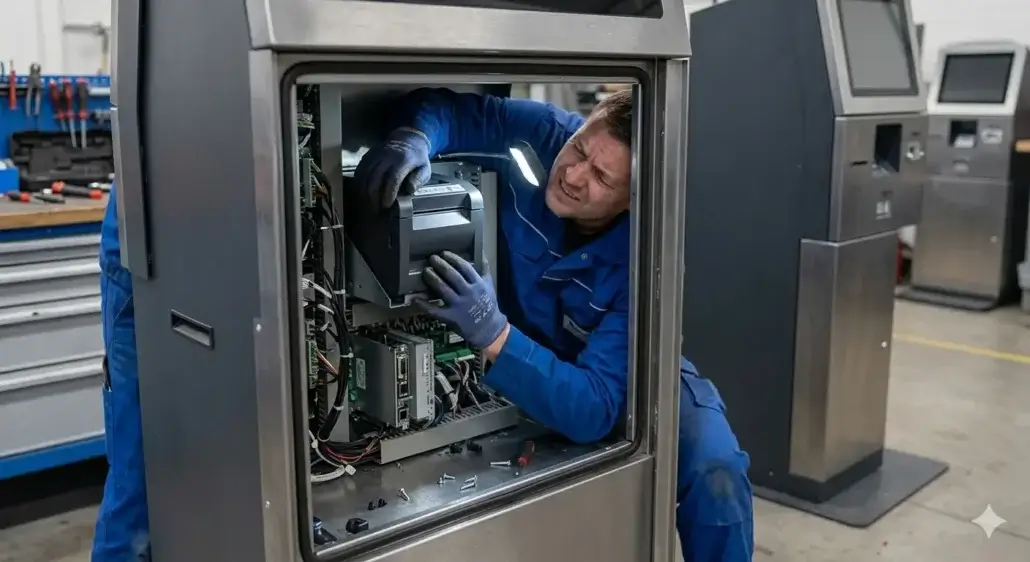
Replacing a paper roll required removing multiple panels.
Accessing the printer meant working inside a very limited space.
Routine service visits were taking longer than expected.
Nothing was wrong with the hardware.
The challenge was accessibility.
The kiosk looked great.
Maintaining it was another story.
Many kiosk designs are optimized for installation day.
The best kiosk designs are optimized for the years that follow.
Why Maintenance Accessibility Is Often Overlooked?
The reason is understandable.
During the design phase, most discussions focus on:
- Hardware selection
- Cabinet dimensions
- User experience
- Appearance
- Cost
- Integration
These topics are important.
They deserve attention.
The problem is that maintenance teams are often thinking about something entirely different.
They are asking questions such as:
- How quickly can paper be replaced?
- How easily can components be accessed?
- How long will routine service take?
- Can maintenance be completed by one technician?
Those questions rarely appear in early design meetings.
Yet they often become critical after deployment.
Installation Happens Once
Maintenance Happens for Years
This is one of the simplest realities in self-service deployments.
Installation may take:
- one day
- one week
- one month
Maintenance may continue for:
- three years
- five years
- seven years
Sometimes longer.
Yet many projects spend far more time discussing installation than maintenance.
One field service manager once summarized it perfectly:
“We spent six months designing the kiosk.
We’ve spent six years maintaining it.”
That perspective tends to emerge only after the project goes live.
A Few Extra Minutes Can Become a Major Cost
During a design review, adding a few minutes to a maintenance task may seem insignificant.
After deployment, those minutes can accumulate surprisingly fast.
Consider a simple example.
If replacing a paper roll takes:
- 3 minutes in one design
- 10 minutes in another design
The difference appears minor.
Until that task is repeated hundreds or thousands of times.
Over several years, maintenance efficiency can influence:
- Labor costs
- Downtime
- Technician productivity
- Service scheduling
- Site availability
This is why experienced operators often evaluate maintenance accessibility with the same seriousness as hardware specifications.
Compact Designs Often Create Hidden Challenges
Most customers appreciate compact kiosk designs.
And for good reason.
Smaller cabinets can reduce:
- Floor space requirements
- Shipping costs
- Material costs
However, compact designs sometimes create trade-offs.
A printer that fits perfectly inside the cabinet may still be difficult to service.
A component that looks efficient in CAD drawings may become frustrating during field maintenance.
One technician once joked:
“The designer’s favorite kiosk is usually the technician’s least favorite kiosk.”
Like most jokes in the industry, there is some truth behind it.
The Printer Is Often the Best Example
Consider a kiosk printer.
On installation day, everyone focuses on whether the printer fits.
Months later, technicians care about something else.
Questions such as:
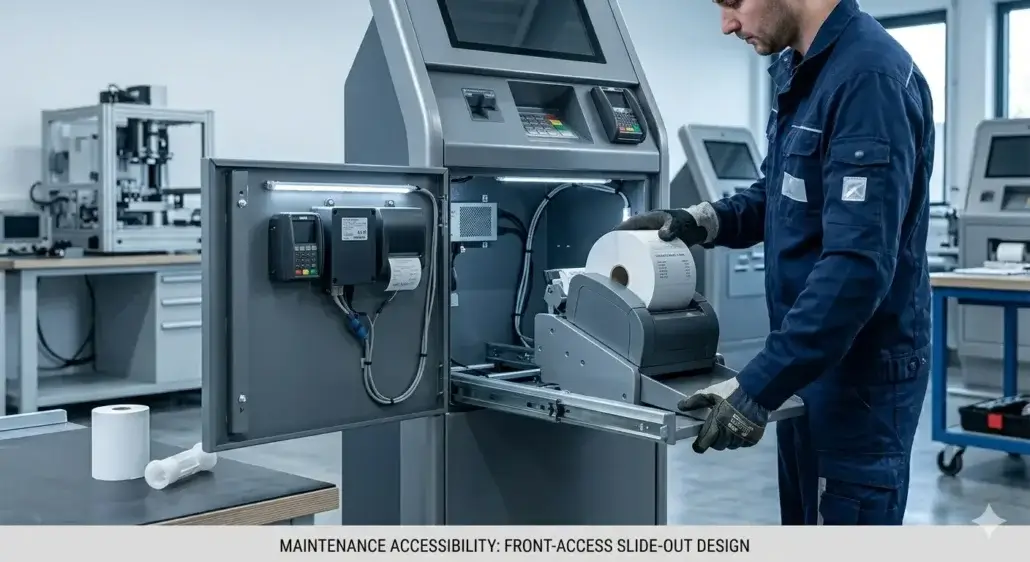
- Can paper be replaced quickly?
- Is the paper path visible?
- Can jams be cleared easily?
- Can maintenance be completed without removing other components?
begin to matter much more.
In one deployment, a printer replacement required removing multiple brackets and internal assemblies.
The printer itself was reliable.
The maintenance process was not.
Eventually, later kiosk revisions were redesigned with easier service access.
Not because the hardware changed.
Because the operational experience exposed a weakness in the original design.
Maintenance Accessibility Directly Affects Downtime
This connection is often underestimated.
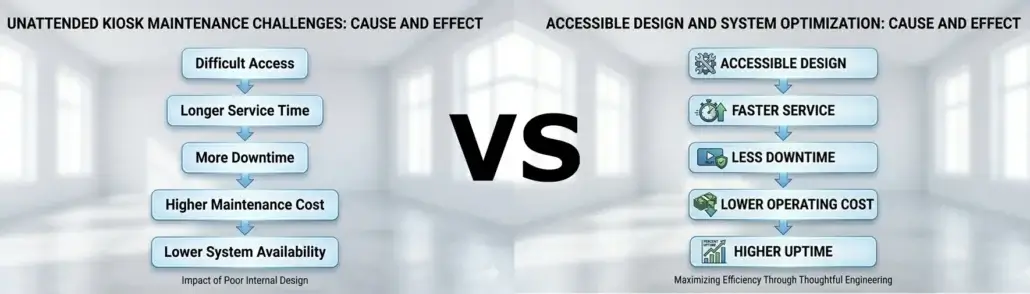
When maintenance access is difficult:
- Service visits take longer
- Problem diagnosis becomes slower
- Component replacement requires more effort
- Kiosk downtime increases
The hardware may be identical.
The difference comes from how easily technicians can interact with it.
Many operators eventually discover that reducing service time can be just as valuable as improving hardware reliability.
Because downtime costs money regardless of the root cause.
Reliable hardware is important.
Accessible hardware is what keeps reliability practical.
Real Users Never See Maintenance
But They Experience Its Consequences
Customers rarely think about maintenance access.
Users certainly don’t.
What users notice is:
- Kiosks being unavailable
- Longer repair times
- Delayed service restoration
- Out-of-order screens
Poor accessibility eventually becomes visible to users through operational performance.
Good accessibility often remains invisible.
Which is exactly how it should be.
High-Volume Deployments Expose the Problem Faster
A kiosk serving twenty users per day can tolerate inefficiencies that would become serious problems in a larger deployment.
A network of hundreds of kiosks cannot.
Scale amplifies everything.
Minor maintenance inconveniences become recurring operational costs.
Service delays become measurable downtime.
Technician workloads increase.
This is why larger operators often evaluate maintenance workflows very carefully during procurement and design reviews.
Experience teaches them where long-term costs originate.
What Experienced Integrators Usually Ask
After enough projects, priorities change.
Instead of asking:
“Will the printer fit?”
Experienced teams often ask:
“How will technicians access the printer?”
Instead of asking:
“Can we reduce cabinet size?”
They ask:
“What happens during maintenance?”
Questions frequently include:
- How long does routine service require?
- Can consumables be replaced quickly?
- What tools are needed?
- Can one technician perform the task?
- How often will access be required?
Those questions often reveal risks that specifications cannot.
Design for Maintenance Before Maintenance Is Needed
One of the most expensive mistakes in kiosk projects is discovering serviceability problems after deployment.
At that point:
- Hardware has been installed
- Cabinets have been manufactured
- Sites have been deployed
Changes become significantly more expensive.
The best time to address maintenance accessibility is during design.
Long before the first service visit occurs.
Because once the kiosk enters operation, maintenance is no longer theoretical.
It becomes part of daily business.
The Best Kiosk Designs Make Maintenance Boring
This may sound like an unusual goal.
But experienced operators understand it immediately.
The best maintenance procedures are predictable.
Fast.
Routine.
Uneventful.
Nobody wants maintenance to be exciting.
One operations manager once told us:
“If technicians stop talking about a kiosk, that’s usually a good sign.”
Because reliable and accessible systems tend to fade into the background.
And that is exactly what operators want.
Short Industry Takeaway
Maintenance accessibility is not a secondary design consideration.
It is a long-term operational decision.
Cabinet layout.
Printer access.
Component placement.
Service workflows.
These factors influence maintenance costs, downtime and operational efficiency for years after deployment.
Because installation happens once.
Maintenance happens repeatedly.
And the decisions made during design often determine how difficult those years will be.
Many teams evaluate kiosks based on how they look when installed.
Experienced operators evaluate them based on how easily they can be maintained.
Frequently Asked Questions
What is maintenance accessibility in kiosk design?
Maintenance accessibility refers to how easily technicians can access, service and replace components within a kiosk during routine maintenance or repairs.
Why is maintenance accessibility important?
Good accessibility reduces service time, downtime, labor costs and operational disruption throughout the life of the kiosk.
Which kiosk components require the most maintenance access?
Printers, card dispensers, payment devices, scanners and communication modules are among the most frequently serviced components.
Does maintenance accessibility affect operating costs?
Yes. Faster service procedures can significantly reduce labor expenses and improve kiosk availability.
When should maintenance accessibility be considered?
Ideally during the earliest design stages, before cabinet layouts and hardware configurations are finalized.
Recommended SNRO Hardware Solutions
Kiosk Printer Solutions
Designed for efficient maintenance access and simplified paper replacement.
Card Dispenser Solutions
Suitable for self-service terminals requiring reliable card issuance and straightforward servicing.
Industrial Mini PC Solutions
Engineered for long-term deployment in self-service environments.
Related Guides
- How to Choose a Kiosk Printer in 2026
- Why Kiosk Printers Jam in Real Self-Service Deployments
- Kiosk Printer Selection Guide (Full System Overview)
- Presenter Printer vs Auto Cutter Printer: The Difference Many Teams Only Understand After Deployment
- 58mm vs 80mm Kiosk Printer: Which One Fits Your Deployment?
- Kiosk Printer SDK Guide
- Linux Kiosk Printer Integration Guide
- Kiosk Printer category page
Related Solutions
- Hotel Self Check-in Hardware Solutions
- Visitor Management Card Issuance Solutions
- Parking & Ticketing Hardware Solutions
- Smart Locker Hardware Solutions
- Self-Checkout Hardware Solutions
- Queue Management Hardware Solutions
- Ticket Vending Machine Hardware Solutions
- Banking Self-Service Terminal Hardware Solutions
Planning a Self-Service Kiosk Project?
When evaluating a kiosk design, it is easy to focus on hardware specifications, appearance and integration.
Those factors matter.
But experienced operators eventually learn that serviceability deserves equal attention.
Because the true test of a kiosk is not how impressive it looks on installation day.
It is how efficiently it can be maintained years later.
And in many deployments, that difference becomes one of the largest operational costs nobody expected at the beginning.


