Blog
Kiosk Printer Hub: Industrial Embedded Thermal Printers for Self-Service Kiosks
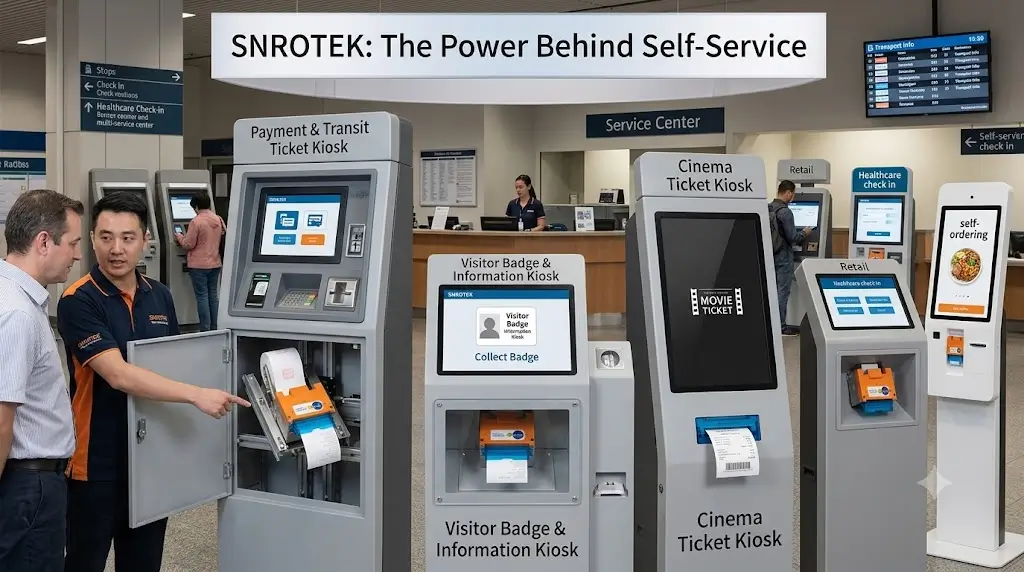
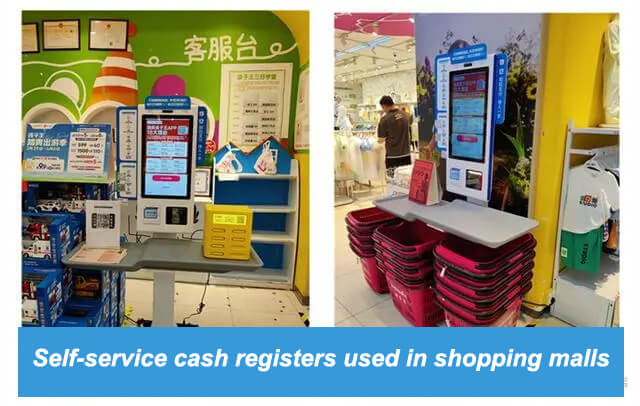
Self-service kiosks have become a standard part of modern retail, transportation, healthcare, hospitality, parking, government services, and smart cities. Behind every successful kiosk deployment is a printer designed to operate reliably with minimal maintenance.
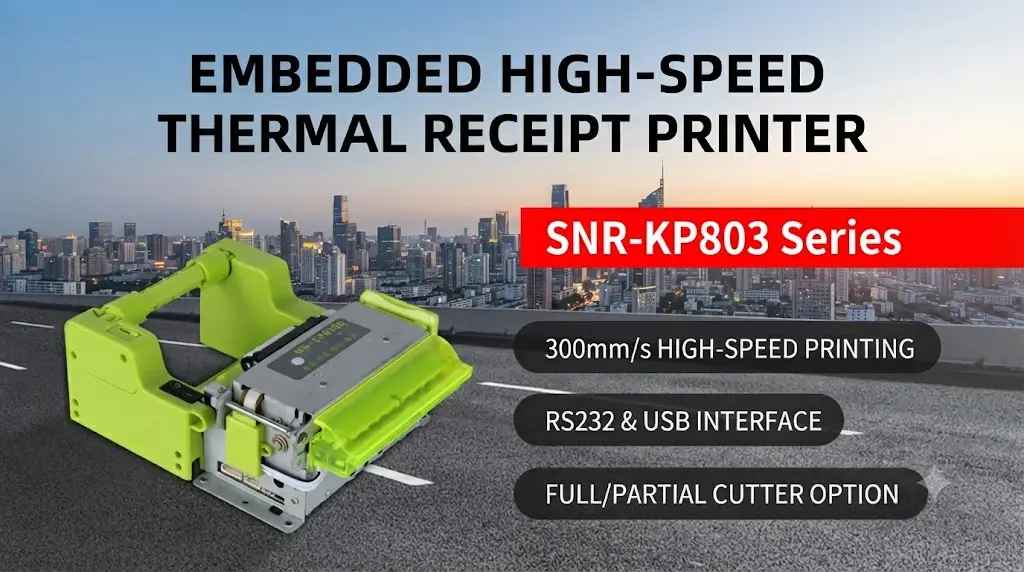
SNRO develops industrial embedded thermal kiosk printers for system integrators, kiosk manufacturers, and OEM equipment builders. Our printers are engineered for continuous operation, easy integration, and long service life in demanding unattended environments.
Whether your project prints receipts, queue tickets, parking tickets, boarding passes, labels, or transaction records, our kiosk printer solutions help reduce downtime while improving the end-user experience.
What Is a Kiosk Printer?
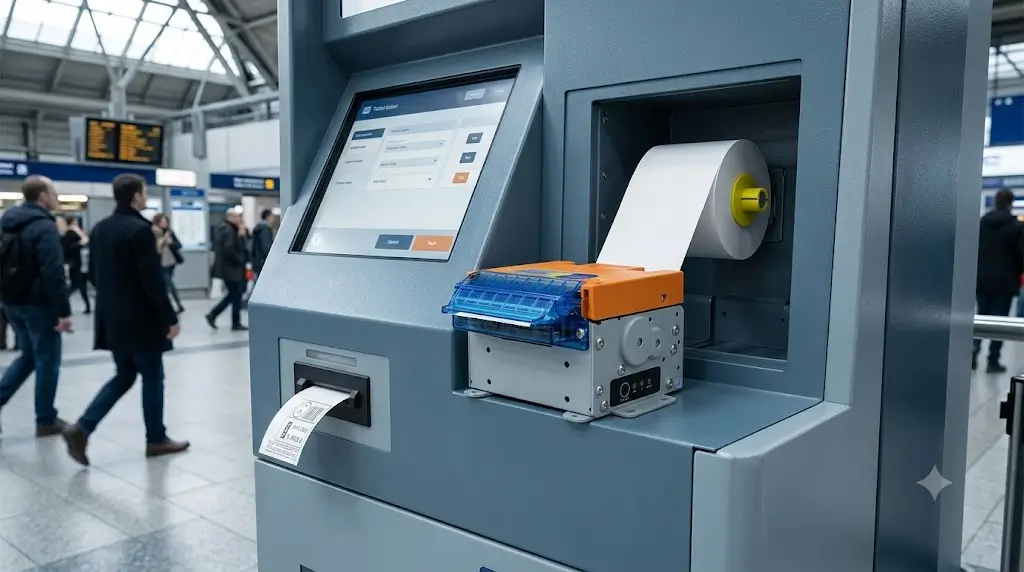
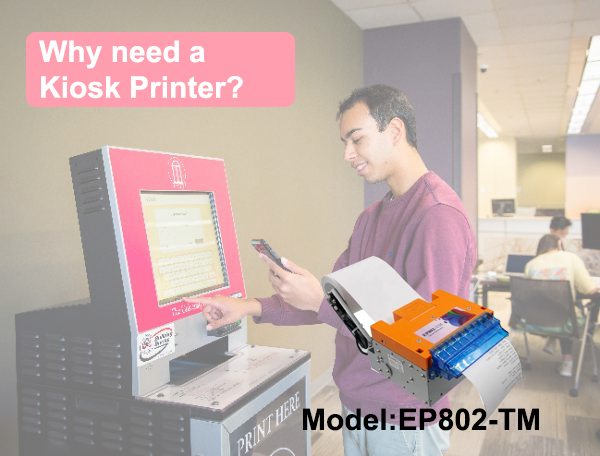
A kiosk printer is an embedded thermal printer specifically designed to be integrated into self-service terminals rather than used as a standalone desktop printer.
Unlike traditional POS receipt printers, kiosk printers are engineered to operate inside enclosed equipment where maintenance access is limited and reliability is critical.
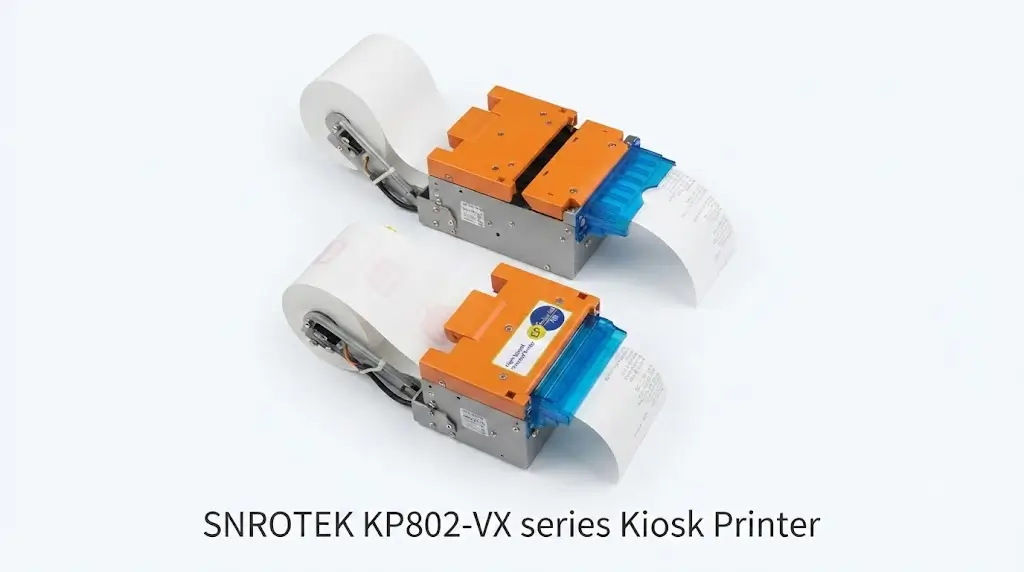
Most industrial kiosk printers include features such as:
- Compact embedded structure
- Front paper loading
- Automatic paper cutting
- Presenter mechanism
- Anti-paper jam protection
- Near-end paper detection
- Ticket retract options
- Large paper roll support
- Continuous unattended operation
These capabilities make kiosk printers an essential component for automated service systems that operate around the clock.
Why Kiosk Printer Selection Matters for System Integrators
For system integrators, selecting a kiosk printer is not only a hardware decision. The printer directly affects kiosk reliability, maintenance requirements and the overall user experience.
During the early design stage, many projects focus mainly on display size, payment modules or software functions. However, the printer is often a critical component that determines whether the kiosk can operate smoothly after deployment.
Key factors such as paper handling, ticket delivery method, communication stability and long-term availability should be evaluated before final hardware selection.
A suitable kiosk printer helps reduce field maintenance, shorten development time and improve the reliability of the complete self-service system.
Why Industrial Kiosk Printers Matter
Many kiosk projects begin with standard desktop receipt printers because they are inexpensive and easy to source. However, once equipment enters real-world operation, desktop printers often become one of the first components to fail.
Industrial embedded kiosk printers are designed specifically to address the challenges of unattended environments. For more details about kiosk printer selection, see our guide on choosing the right embedded thermal printer.
Built for Continuous Operation
Retail stores may close at night, but transportation hubs, hospitals, hotels, parking facilities, and public service kiosks often operate 24 hours a day.
Industrial printers are engineered for long-duty cycles, stable thermal management, and consistent print quality under continuous workloads.
Reduce Maintenance Visits
Every service visit increases operating costs.
Features such as:
- Anti-jam mechanisms
- Large paper rolls
- Reliable cutters
- Automatic paper loading
- Intelligent sensors
help reduce maintenance frequency and maximize equipment uptime.
Designed for Easy Integration
Embedded kiosk printers are available with multiple communication interfaces including:
- USB
- RS232
- TTL
- Ethernet (selected models)
Many projects also require SDKs for Windows, Linux, Android, or ARM platforms, enabling faster software integration into existing kiosk systems.
Improve User Experience
End users rarely notice a printer when everything works correctly.
However, printing delays, paper jams, or incomplete ticket delivery immediately reduce confidence in the entire kiosk.
Reliable printing contributes directly to smoother transactions and better customer satisfaction.
Veteran Insight
From years of supporting kiosk manufacturers worldwide, one lesson remains consistent:
The printer is often one of the last hardware components selected during kiosk development—but it is one of the first components users interact with.
Selecting a printer based only on purchase price can lead to higher maintenance costs, more service calls, and reduced system availability over the lifetime of the deployment.
Typical Applications
Industrial kiosk printers are used across many self-service industries where reliable unattended printing is essential.
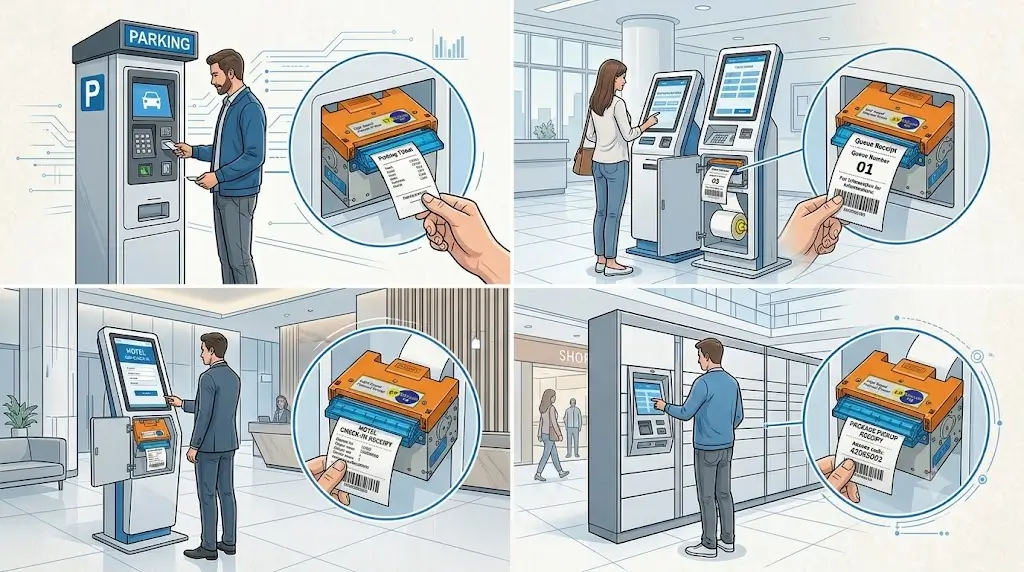
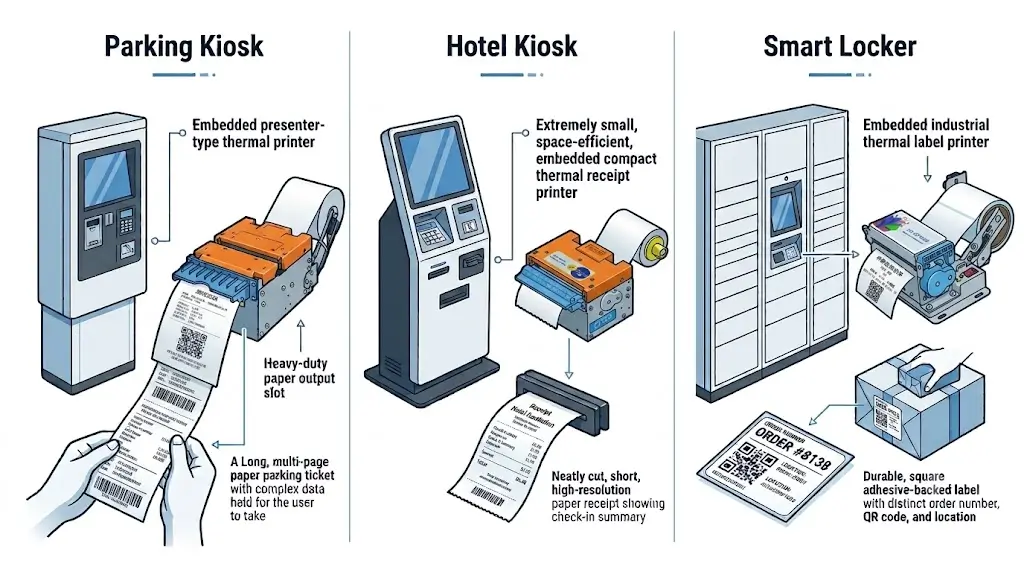
Parking Payment Kiosks
Applications include:
- Parking payment receipts
- Entry and exit tickets
- QR validation tickets
- Lost ticket replacement
- Monthly parking receipts
Recommended features:
- Presenter
- Anti-paper jam
- Ticket retract
- Large paper roll
Self-Service Ticketing Machines
Used for:
- Museum tickets
- Cinema tickets
- Event tickets
- Public transportation
- Visitor management
Recommended features:
- High-speed printing
- Barcode clarity
- Automatic cutter
- Continuous operation
Healthcare Self-Service Kiosks
Hospitals and clinics typically print:
- Queue tickets
- Registration receipts
- Payment confirmations
- Laboratory reports
- Appointment slips
Priority requirements include:
- Quiet operation
- Reliable paper loading
- Stable long-term performance
- Easy maintenance
Hotel Self Check-in Kiosks
Modern hotel kiosks combine several hardware modules into one integrated system.
Typical printed materials include:
- Check-in receipts
- Booking confirmations
- Invoice copies
- Service vouchers
Many hotel kiosks also integrate:
- RFID card dispensers
- Passport readers
- Payment terminals
- Barcode scanners
A reliable embedded printer ensures the check-in process remains smooth, especially during peak arrival periods.
Smart Lockers
Smart locker systems generate printed materials such as:
- Pickup receipts
- Return confirmations
- Shipping labels
- QR code receipts
- Customer transaction records
Depending on the workflow, projects may require either receipt printing or linerless/label printing capabilities.
Government Self-Service Terminals
Common applications include:
- Tax payment receipts
- Identity registration
- Permit printing
- Public service confirmations
- Utility payment receipts
Government projects often prioritize long product life cycles, stable firmware, and dependable operation over many years of deployment.
Common Printing Media Supported
Different kiosk projects require different media types. Selecting the right printer depends not only on paper width, but also on ticket format, operating environment, and user workflow.
Most industrial kiosk printers support one or more of the following media:
| Media Type | Typical Applications |
|---|---|
| Thermal Receipt Paper | POS receipts, payment confirmations, queue tickets |
| Thermal Ticket Paper | Parking systems, transportation, visitor management |
| Continuous Thermal Paper | Self-service terminals, information kiosks |
| Black Mark Paper | Ticket positioning and fixed-length output |
| Label Media (Selected Models) | Logistics, lockers, parcel systems |
| Linerless Media (Selected Models) | High-volume self-service labeling |
Key Features of an Industrial Kiosk Printer
Not all embedded thermal printers are designed for long-term unattended operation. While many products can print receipts in a laboratory environment, industrial kiosk deployments demand far more than basic print performance.
A reliable kiosk printer should minimize maintenance, integrate easily with different control systems, and continue operating consistently throughout years of field use.
The following capabilities are among the most important evaluation criteria for system integrators and kiosk manufacturers.
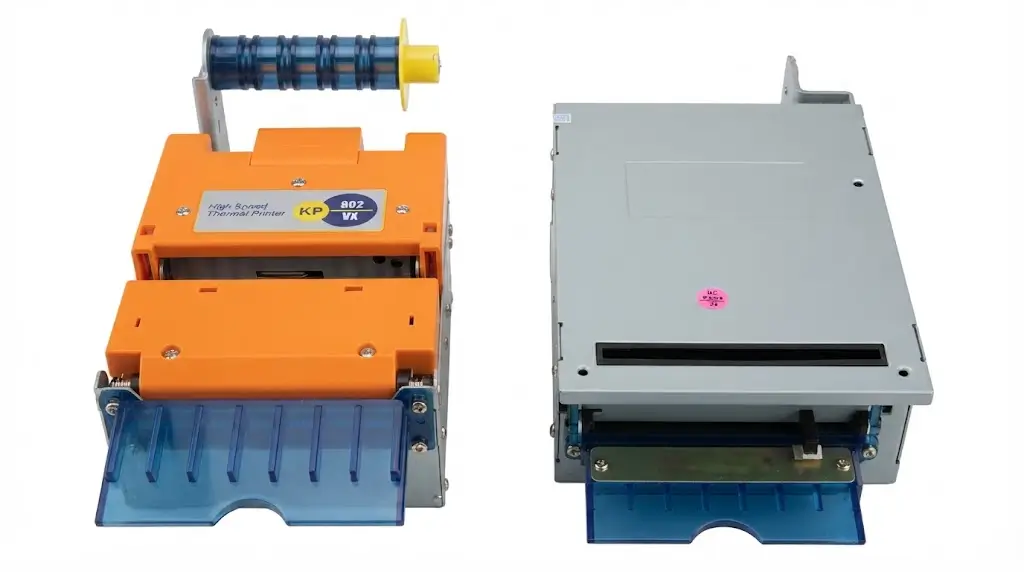
Presenter Mechanism for Secure Ticket Delivery
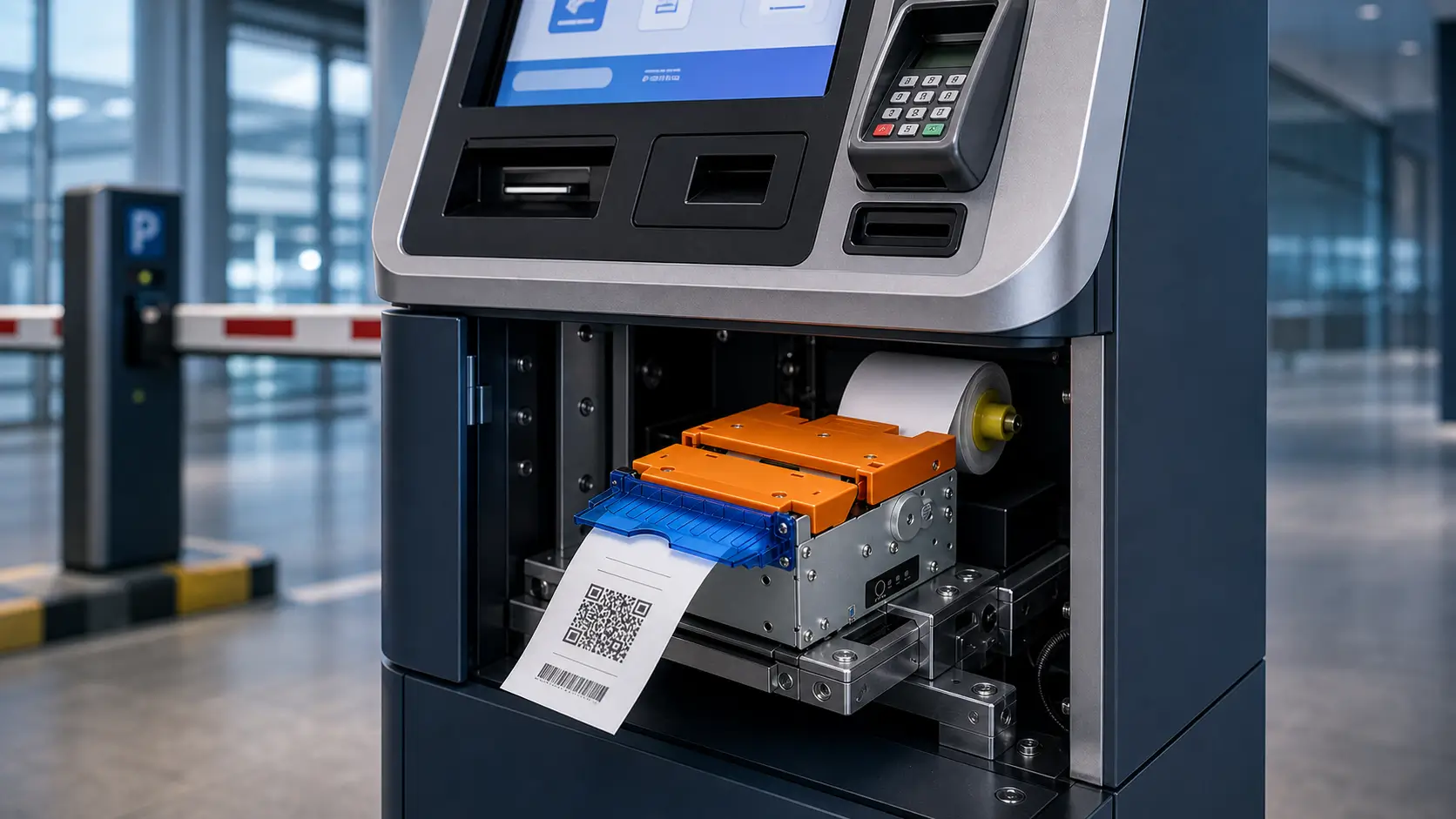
A presenter mechanism temporarily holds the printed ticket inside the printer until printing is complete. The document is then presented to the user in a controlled manner.
Compared with direct paper output, a presenter offers several operational advantages:
- Prevents users from pulling paper during printing
- Reduces torn or incomplete receipts
- Improves ticket alignment
- Enhances the user experience
- Protects internal paper path components
Presenter-equipped printers are widely used in parking systems, ticket vending machines, transportation terminals, and government kiosks where transaction reliability is essential.
Automatic Ticket Retract
In unattended environments, users occasionally forget to collect printed receipts or tickets.
A retract mechanism automatically pulls uncollected documents back into the printer after a preset timeout.
Typical benefits include:
- Prevents paper accumulation
- Keeps kiosk surroundings clean
- Improves transaction security
- Reduces fraudulent ticket reuse
- Enables smoother operation in high-traffic locations
This feature is especially valuable for transportation, parking, banking, and public service kiosks.
Anti-Paper Jam Design
Paper jams remain one of the most common causes of kiosk downtime.
Industrial printers reduce jam frequency through a combination of mechanical optimization and intelligent firmware.
Common design approaches include:
- Optimized paper path geometry
- Stable paper feeding pressure
- High-quality drive rollers
- Jam detection sensors
- Automatic recovery logic
- Controlled presenter timing
While no printer can completely eliminate jams under every operating condition, robust engineering significantly lowers maintenance requirements.
Automatic Paper Loading
Routine paper replacement should require minimal training.
Modern embedded kiosk printers typically support automatic paper loading, allowing operators to insert a new roll without manually threading paper through the mechanism.
Advantages include:
- Faster maintenance
- Reduced operator error
- Shorter service interruptions
- Improved reliability after paper replacement
Large Paper Roll Capacity
The frequency of paper replacement directly affects operating costs.
Industrial kiosk printers often support paper rolls between Ø120 mm and Ø150 mm, depending on the model.
Larger rolls provide:
- Longer unattended operation
- Fewer maintenance visits
- Lower operating costs
- Higher availability during peak traffic
For remote installations, roll capacity can be just as important as print speed.
High-Speed Thermal Printing
Fast printing improves the overall kiosk experience by reducing waiting time.
Industrial printers commonly support print speeds ranging from approximately 150 mm/s to over 250 mm/s, depending on paper type and printer configuration.
In practice, print consistency is often more valuable than peak speed. Stable output under continuous workloads helps avoid transaction delays and unnecessary service calls.
Long-Life Auto Cutter
The cutter is one of the highest-duty mechanical components inside a kiosk printer.
A durable cutter should provide:
- Clean cuts across different paper weights
- Stable performance during high-volume operation
- Low maintenance requirements
- Long service life under continuous use
For environments with heavy daily transaction volumes, cutter durability has a significant impact on total cost of ownership.
Integration Options
Hardware integration is only one part of a successful kiosk project. Software compatibility, communication stability, and development support are equally important.
Industrial kiosk printers are designed to integrate into a wide range of embedded control systems.
Communication Interfaces
Depending on the application, printers may support:
- USB
- RS232 Serial
- TTL Serial
- Ethernet (LAN)
- Virtual COM
The appropriate interface depends on the kiosk controller architecture, motherboard, and software platform.
Operating System Support
Industrial kiosk projects commonly use:
- Windows
- Linux
- Android
- ARM-based embedded platforms
Many manufacturers also provide SDKs, sample code, APIs, and communication protocols to simplify software development.
Driver and SDK Availability
When evaluating a printer supplier, software support should receive the same attention as hardware specifications.
Useful development resources typically include:
- Windows drivers
- Linux drivers
- Android SDK
- Demo software
- Programming manual
- Command protocol
- Firmware update tools
Complete documentation helps reduce development time and accelerates project deployment.
Veteran Insight
From an integration perspective, the printer itself is rarely the biggest challenge.
Most engineering time is spent validating communication, handling exception scenarios, and ensuring reliable interaction between the printer, kiosk controller, payment terminal, barcode scanner, and other peripherals.
Choosing a supplier that provides responsive technical support and mature integration resources often shortens the project timeline more than selecting a printer with marginally higher hardware specifications.
How to Choose the Right Kiosk Printer
Quick Selection Guide
| Project Requirement | Recommended Printer Type |
|---|---|
| Compact receipt kiosk | 58mm embedded printer |
| Parking ticket system | 80mm presenter printer |
| High traffic ticketing | Presenter + retract printer |
| Embedded industrial equipment | Panel mount printer |
| Label printing application | Label/linerless compatible printer |
Every kiosk project has different operational priorities. Rather than focusing on a single specification, evaluate the complete deployment environment.
Consider the Printing Task
Ask questions such as:
- Are you printing receipts or tickets?
- Is label printing required?
- Does the printer need black mark detection?
- What paper width is required?
- Will the printer operate continuously?
Evaluate the Installation Space
Consider:
- Available mounting depth
- Front-panel dimensions
- Paper roll capacity
- Maintenance access
- Cable routing
- Heat dissipation
Compact kiosks may require different printer designs than full-size cabinets.
Estimate Daily Print Volume
Expected transaction volume influences:
- Cutter life
- Printhead durability
- Roll capacity
- Maintenance schedule
- Recommended printer model
Selecting a printer designed for the expected workload improves long-term reliability.
Review Environmental Conditions
Deployment environments vary considerably.
Typical considerations include:
- Indoor or outdoor installation
- Temperature fluctuations
- Dust exposure
- Humidity
- Vibration
- User traffic
Industrial-grade printers are designed to perform reliably across a broader range of operating conditions than standard desktop devices.
Recommended Printer Selection by Application
| Application | Recommended Features |
|---|---|
| Parking Payment Kiosk | Presenter, retract, large roll, anti-jam |
| Ticket Vending Machine | High-speed printing, presenter, cutter |
| Hospital Self-Service Kiosk | Quiet operation, stable printing, automatic loading |
| Hotel Check-in Kiosk | Compact structure, receipt printing, easy integration |
| Smart Locker | Receipt or label printing, barcode clarity |
| Government Service Terminal | Long lifecycle, stable firmware, reliable cutter |
| Retail Self-Checkout | Fast printing, large roll, low maintenance |
Why System Integrators Choose Industrial Embedded Printers
System integrators are responsible for the long-term performance of the complete kiosk—not just individual hardware components.
An industrial embedded printer contributes to project success by offering:
- Reliable unattended operation
- Lower maintenance frequency
- Simplified software integration
- Consistent print quality
- Long-term product availability
- Stable firmware
- Technical documentation and SDK support
For OEM projects, long product life cycles and engineering support are often as important as initial hardware specifications.
Kiosk Printer Architecture Options
Different kiosk designs require different printer architectures. Before selecting a model, engineers normally evaluate installation space, paper loading method, maintenance access and system workflow.
Common kiosk printer architectures include:
– Front access printers for easy maintenance
– Embedded mechanisms for OEM cabinet integration
– Presenter printers for controlled ticket delivery
– Panel mount printers for direct user interaction
Selecting the correct architecture at the beginning of the project helps avoid mechanical redesign and reduces integration risks during production.
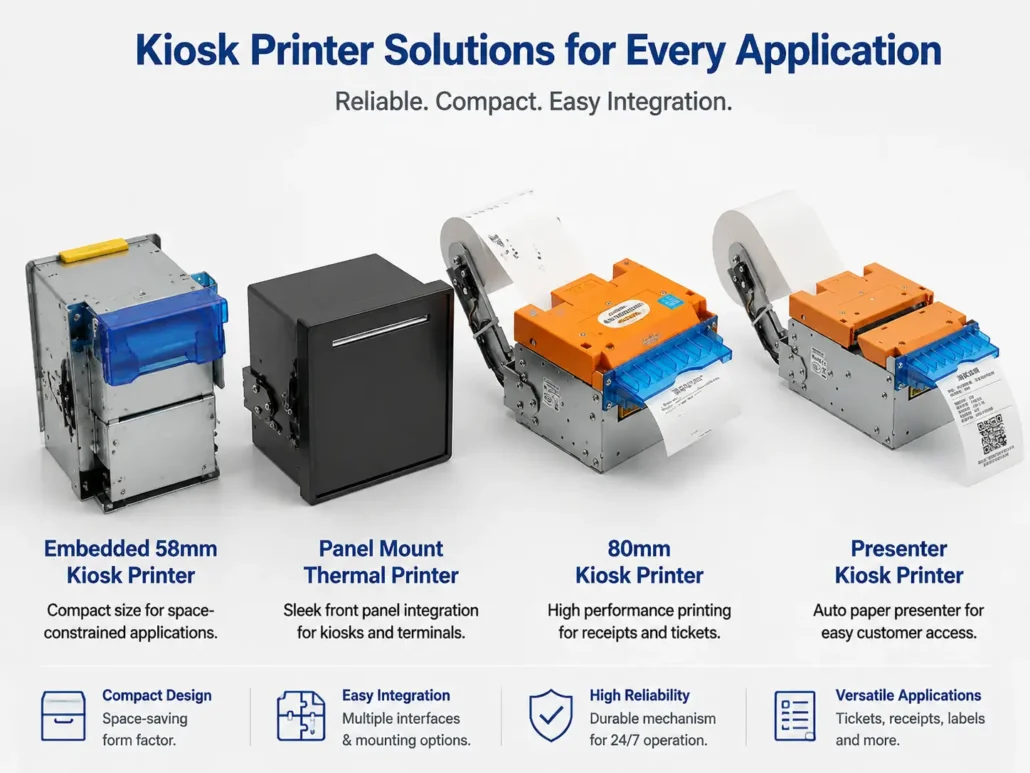
SNRO Kiosk Printer Portfolio
Every kiosk project has different mechanical constraints, communication requirements, and printing tasks. Rather than offering a single universal solution, SNRO provides a portfolio of embedded thermal printers designed for a wide range of self-service applications.
Whether your project requires a compact receipt printer for a healthcare terminal or a presenter-equipped mechanism for a parking kiosk, selecting the right architecture early in the design phase helps reduce integration complexity and long-term maintenance costs.
58mm Embedded Kiosk Printers
58mm printers are commonly selected when installation space is limited or the printed content is relatively simple.
Typical applications include:
- Queue management systems
- Healthcare registration kiosks
- Visitor management terminals
- Access control systems
- Information kiosks
- Compact payment terminals
Typical advantages include:
- Small installation footprint
- Lower power consumption
- Faster cabinet integration
- Cost-effective deployment
- Easy front-panel installation
80mm Embedded Kiosk Printers
80mm remains the most widely adopted printing width across self-service industries.
It provides sufficient space for:
- QR codes
- Barcodes
- Company branding
- Promotional information
- Multi-language receipts
- Detailed transaction records
Typical applications include:
- Parking payment kiosks
- Self-checkout terminals
- Hotel self check-in kiosks
- Ticket vending machines
- Government service kiosks
- Smart lockers
For most new kiosk projects, 80mm offers the best balance between print readability, media availability, and long-term compatibility.
Presenter Kiosk Printers
Presenter-equipped printers are recommended whenever controlled document delivery is required.
Typical deployment scenarios include:
- Parking ticket systems
- Transit ticket vending
- Banking self-service terminals
- Government kiosks
- High-security applications
Key benefits:
- Controlled ticket presentation
- Improved user interaction
- Reduced paper damage
- Better transaction reliability
Label Printing Solutions
Some self-service applications require adhesive labels rather than receipts.
Typical industries include:
- Parcel lockers
- Logistics
- Warehouse automation
- Medical specimen identification
- Retail pickup stations
Depending on the workflow, projects may require:
- Black mark positioning
- Gap detection
- Continuous labels
- Linerless media support
OEM & Customization Capabilities
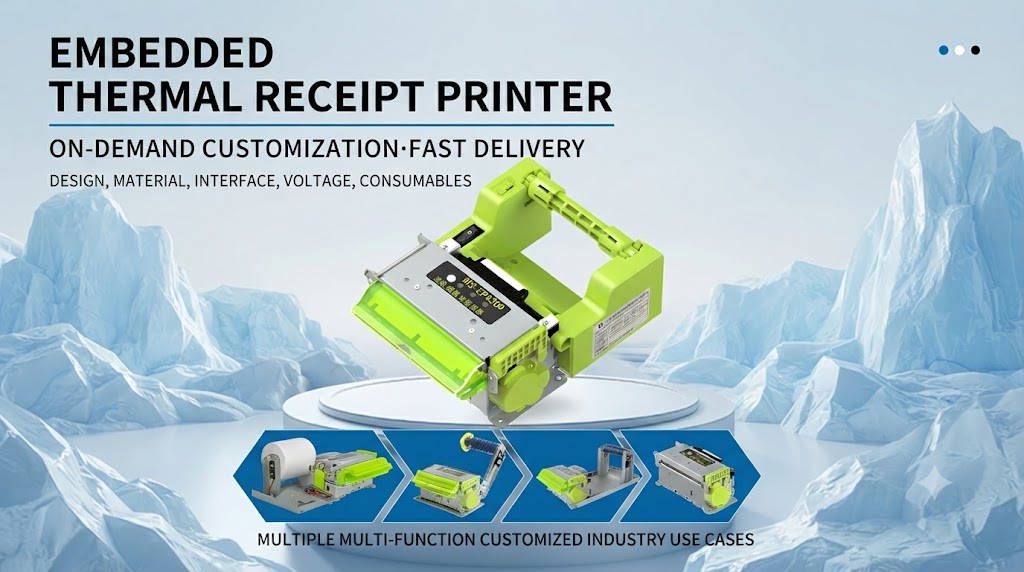
Every kiosk manufacturer has unique cabinet dimensions, controller architecture, and branding requirements. For this reason, many projects require more than an off-the-shelf printer.
SNRO supports OEM and customization services for qualified projects, helping system integrators reduce engineering effort while maintaining design consistency.
Mechanical Customization
Available options may include:
- Front bezel design
- Mounting hole positions
- Bracket modifications
- Presenter outlet configuration
- Cabinet integration optimization
Mechanical feasibility depends on the selected printer platform and project volume.
Interface Configuration
Depending on the application, supported communication options may include:
- USB
- RS232
- TTL
- Ethernet (selected models)
This flexibility allows the printer to integrate with a wide variety of industrial controllers and embedded systems.
Firmware & Functional Options
Certain models can be configured with features such as:
- Black mark detection
- Paper near-end sensor
- Ticket retract
- Presenter timing adjustments
- Buzzer control
- LED status indication
Available functions vary by model and project requirements.
Branding Services
For OEM customers, branding options may include:
- Custom logo
- Product labels
- Packaging
- User documentation
- Startup guides
These services help manufacturers maintain a consistent brand identity across complete kiosk solutions.
Veteran Insight
Successful OEM projects rarely begin with hardware customization alone.
In most cases, engineering discussions focus first on installation dimensions, communication protocols, maintenance strategy, and expected operating conditions. Once these requirements are confirmed, hardware customization becomes a straightforward engineering task rather than a costly redesign.
Engineering Support Throughout the Project Lifecycle
Selecting the right printer is only the beginning. Long-term project success depends on reliable engineering collaboration from prototype evaluation through mass production.
SNRO works with system integrators, kiosk manufacturers, and OEM partners throughout each stage of product development.
Prototype Evaluation
During the early design phase, engineering teams often need to verify:
- Mechanical compatibility
- Mounting dimensions
- Communication interfaces
- Print quality
- Software integration
- Environmental suitability
Providing complete technical documentation at this stage helps reduce redesign work later in the project.
Integration Support
To accelerate development, support resources may include:
- User manuals
- Command protocols
- SDKs
- Demo software
- Driver packages
- Technical consultation
Early software validation helps identify potential integration issues before field deployment.
Pilot Deployment
Before large-scale production, many customers conduct pilot installations to evaluate:
- Reliability
- User interaction
- Maintenance procedures
- Paper replacement workflow
- Environmental performance
Feedback collected during this stage can be used to optimize the final system configuration.
Mass Production Support
Once the design is finalized, production support typically focuses on:
- Stable product availability
- Consistent manufacturing quality
- Delivery scheduling
- Configuration management
- Technical documentation updates
A stable supply chain is essential for long-term kiosk programs.
Typical Questions Asked by System Integrators
During the planning stage, engineering teams frequently evaluate the following topics before selecting a printer.
What information should I provide before selecting a kiosk printer?
Mechanical drawing or installation space
Paper specification
Daily transaction volume
Operating environment
Required SDK or communication protocol
What is the difference between a kiosk printer and an industrial printer?
A kiosk printer is specifically designed for embedded installation inside self-service equipment. It focuses on compact structure, reliable paper handling and easy integration with kiosk controllers.
Industrial printers may focus on broader manufacturing applications, while kiosk printers are optimized for unattended user-facing environments.
Can kiosk printers be tested before mass production?
Yes. For system integration projects, sample testing is recommended before mass production. Testing normally includes mechanical installation, communication, print performance and software integration verification.
Can the printer operate continuously?
Industrial embedded thermal printers are designed for long-duration operation in unattended environments. Actual performance depends on print volume, media quality, maintenance practices, and operating conditions.
Which interface should be selected?
The choice depends on the kiosk controller architecture. RS232 remains common in industrial equipment, while USB is widely used for Windows-based systems. TTL is often selected for embedded controller designs, and some projects require Ethernet connectivity.
Is SDK support available?
Many industrial kiosk printers provide drivers, communication protocols, and SDK resources for major operating systems including Windows, Linux, and Android. Always confirm software compatibility during the evaluation stage.
Can different paper widths be supported?
Yes. Receipt width, ticket format, and media type vary by project. Selecting the appropriate printer depends on both mechanical space and application requirements.
Explore Related Solutions
Many self-service terminals combine multiple hardware modules into a single integrated system. In addition to embedded printers, the following product categories are frequently deployed together.
| Related Solution | Typical Applications |
|---|---|
| 80mm Kiosk Printers | Parking, retail, hotel, ticketing |
| 58mm Embedded Printers | Queue management, healthcare |
| Card Dispensers | Hotel check-in, visitor management |
| RFID Card Issuers | Access control, hospitality |
| Barcode & QR Scanners | Payment, ticket validation |
| Industrial Mini PCs | Embedded kiosk control systems |
| POS Terminals | Retail and self-checkout |
| Self-Service Kiosk Hardware | Complete kiosk integration |
Why Choose SNRO for Your Kiosk Printer Project
Choosing an embedded kiosk printer is more than comparing specifications. For most system integrators and OEM manufacturers, long-term reliability, engineering support, and supply stability have a greater impact on project success than peak print speed or initial purchase cost.
SNRO focuses on industrial embedded printing solutions designed specifically for self-service equipment. Our goal is to help customers reduce integration risks, shorten development cycles, and maintain reliable field performance throughout the product lifecycle.
Industrial Design for Unattended Operation
Our kiosk printers are developed for continuous operation in self-service environments where equipment may run around the clock with limited maintenance access.
Key design priorities include:
- Stable thermal printing
- Optimized paper path
- Durable auto cutter
- Automatic paper loading
- Intelligent paper sensing
- Anti-paper jam structure
- Large roll capacity
- Compact embedded installation
Engineering-Oriented Integration Support
Successful kiosk projects require more than hardware.
SNRO supports customers with:
- Mechanical drawings
- Installation dimensions
- Communication protocols
- Windows, Linux, and Android development resources
- SDKs and sample programs
- Technical documentation
- Engineering consultation during evaluation and integration
This collaborative approach helps reduce development time and minimizes integration challenges during prototype and production stages.
Stable Product Lifecycle
Industrial kiosk projects often remain in production for many years.
To support long-term deployments, product continuity is an important consideration.
SNRO works to provide:
- Consistent product availability
- Stable hardware platforms
- Controlled firmware updates
- Long-term technical support
- Reliable manufacturing processes
OEM & Private Label Support
For qualified OEM projects, available services may include:
- Product branding
- Custom front bezels
- Interface configuration
- Packaging customization
- Documentation support
- Project-specific engineering adjustments
Customization is evaluated according to technical feasibility and project requirements.
Veteran Insight
Across hundreds of kiosk integration projects, one pattern appears consistently:
The most successful deployments are not necessarily built with the most expensive hardware. They are built with components that integrate smoothly, operate reliably over time, and are supported by responsive engineering teams when unexpected issues arise.
That combination reduces downtime, lowers service costs, and improves the overall ownership experience.
Frequently Asked Questions
The following questions reflect topics commonly discussed during kiosk printer evaluation and system integration. They are structured to improve both search visibility and answer-engine compatibility (AEO).
What is the difference between a kiosk printer and a desktop receipt printer?
A kiosk printer is designed for embedded installation inside self-service equipment. It typically includes industrial features such as presenter mechanisms, automatic paper loading, anti-jam protection, larger paper roll capacity, and continuous-duty operation that are not found on standard desktop receipt printers.
Which paper width should I choose?
The most common options are 58 mm and 80 mm.
- 58 mm is suitable for compact kiosks and simple receipts.
- 80 mm provides more space for QR codes, barcodes, logos, multilingual content, and detailed transaction information.
The appropriate width depends on cabinet size, application workflow, and printed content.
Do all kiosk printers include a presenter?
No.
Some embedded printers provide direct paper output, while others include a presenter mechanism for controlled ticket delivery. Applications such as parking payment, transportation ticketing, and public service kiosks often benefit from presenter-equipped designs.
Can embedded kiosk printers print labels?
Certain models support label media, black mark positioning, or linerless printing. Requirements vary depending on media type, application, and printer architecture. Confirm media compatibility before project selection.
Which operating systems are supported?
Support varies by model, but industrial kiosk printers commonly provide resources for:
- Windows
- Linux
- Android
- ARM-based embedded systems
Development materials may include drivers, SDKs, communication protocols, and sample software.
How often does paper need to be replaced?
Replacement frequency depends on:
- Paper roll diameter
- Daily print volume
- Receipt length
- Customer traffic
Using larger paper rolls reduces maintenance frequency and increases unattended operating time.
Can kiosk printers be customized?
Many industrial embedded printers support OEM customization, including mechanical adjustments, interface options, branding, and selected firmware configurations. Availability depends on project scope and technical feasibility.
What information should I prepare before requesting a recommendation?
To recommend the most suitable printer, it is helpful to provide:
- Application scenario
- Paper width
- Receipt or ticket format
- Installation dimensions
- Required interfaces
- Operating system
- Estimated daily print volume
- Environmental conditions
- Special functional requirements
Providing these details early can significantly shorten the evaluation process.
Need Help Selecting a Kiosk Printer?
Choosing a kiosk printer depends on more than print speed or paper width.
Our engineering team can help evaluate:
– Application requirements
– Printer mechanism
– Installation dimensions
– Communication interface
– Software integration
Share your project details and we will recommend suitable printer options.
Request Engineering Assistance
Selecting the right kiosk printer is easier when hardware and software requirements are evaluated together.
Whether you are developing a new self-service terminal or upgrading an existing kiosk platform, our engineering team can help identify suitable printer options based on your installation space, communication interface, application workflow, and long-term maintenance objectives.
We welcome inquiries from:
- System Integrators
- Kiosk Manufacturers
- OEM Equipment Builders
- Software Solution Providers
- Automation Companies
- Payment System Developers
- Smart Locker Manufacturers
- Transportation Solution Providers
Talk to Our Engineering Team
Receive model recommendations, integration guidance, and technical documentation for your kiosk printer project.
Compare All Kiosk Printer Models
Browse the complete SNRO embedded thermal printer portfolio to identify the most appropriate solution for your application.
Related Resources
To strengthen topical authority and improve crawl depth, add contextual links to the following pages where relevant throughout the Hub:
Product Categories
Related Hardware
- Hotel Card Dispenser
- RFID Card Issuing Machine
- Barcode Scanner
- Passport Reader
- Industrial Mini PC
- POS Terminal
Solution Pages
- Hotel Self Check-in Kiosk
- Parking Payment Kiosk
- Healthcare Self-Service Kiosk
- Smart Locker Solutions
- Self-Service Ticketing
- Self-Checkout Solutions