


Access Control Kiosk Hardware Solutions
 Introduction
 Introduction
Access control systems have evolved far beyond traditional card readers mounted beside doors.
Today, many organizations are deploying self-service access control kiosks to automate credential issuance, visitor registration, contractor onboarding and temporary access management.
These systems can reduce administrative workload, improve security compliance and provide a more efficient user experience.
However, the success of an access control kiosk project often depends on selecting the right hardware architecture from the beginning.
Many deployment challenges are not caused by software. They are caused by hardware limitations, integration difficulties or workflow mismatches that only become visible after installation.
This guide explains the key hardware components commonly used in modern access control kiosks and what experienced system integrators typically evaluate before deployment.
Quick Answer
An access control kiosk hardware system usually includes a card dispenser, RFID reader or encoder, card collector or circulating card dispenser, barcode or QR scanner, industrial PC, touchscreen interface, and connection to the access control or visitor management platform.
For system integrators, the key challenge is not only issuing an access card. The real challenge is managing the complete credential lifecycle: user identification, authorization, RFID card issuing or encoding, access activation, card recovery, credential expiration, audit records, and long-term maintenance.
Reliable access control kiosk hardware should therefore be selected according to credential type, daily issuance volume, RFID compatibility, card recovery requirements, SDK support, security policy, maintenance access, and future expansion requirements.
Why Access Control Kiosk Projects Often Become More Complex Than Expected
Many organizations initially assume that an access control kiosk only needs to issue a card and grant access.
A typical early-stage workflow may appear simple:
Register User
↓
Issue Card
↓
Grant Access
However, as projects move from pilot deployment to daily operation, additional requirements often emerge.
Examples include:
- Visitor credential recovery
- Contractor access expiration
- Temporary badge management
- RFID credential verification
- Lost card handling
- Audit trail requirements
- Card replacement cost control
As a result, the hardware architecture that works during initial testing may not always support long-term operational requirements.
Experienced system integrators therefore evaluate the complete credential lifecycle before selecting kiosk hardware.

Why Access Control Kiosks Are Becoming More Common
Organizations increasingly need to manage:
- Employee credentials
- Contractor access permissions
- Visitor registration
- Temporary access cards
- Identity verification
- Credential recovery and auditing
Manual processes can quickly become inefficient as facilities grow.
As a result, self-service access control kiosks are being deployed in:
- Corporate headquarters
- Manufacturing facilities
- Government buildings
- Hospitals
- Universities
- Data centers
- Logistics centers
- Research laboratories
Many access control kiosk projects overlap with visitor management workflows, especially when visitors, contractors or temporary users need to register, receive access credentials and return cards after use.
For visitor-focused deployments, see our Visitor Management Hardware Solutions.
Typical Challenges in Access Control Projects
Before selecting hardware, experienced integrators usually identify the most common operational challenges.
Credential Issuance
Users may need to receive RFID cards, visitor badges or temporary credentials.
Identity Verification
The system must verify who is requesting access.
Credential Lifecycle Management
Cards may need to be:
Issued
↓
Activated
↓
Used
↓
Collected
↓
Re-Issued
Integration Complexity
Hardware must communicate reliably with:
- Access control software
- Visitor management systems
- Building management platforms
- Security databases
Long-Term Maintenance
Unattended systems require reliable hardware and simple service procedures.
Why Card Lifecycle Management Matters
In many access control projects, the focus is initially placed on card issuance.
However, the card lifecycle often extends far beyond the moment a credential is issued.
A typical lifecycle may include:
Card Storage
↓
Card Issuance
↓
Credential Activation
↓
User Access
↓
Credential Expiration
↓
Card Collection
↓
Card Reuse
Organizations that issue large numbers of temporary credentials often discover that card replacement costs increase rapidly when credential recovery is not considered during system design.
For this reason, many modern deployments evaluate not only card dispensers, but also card collectors and circulating card dispensers.
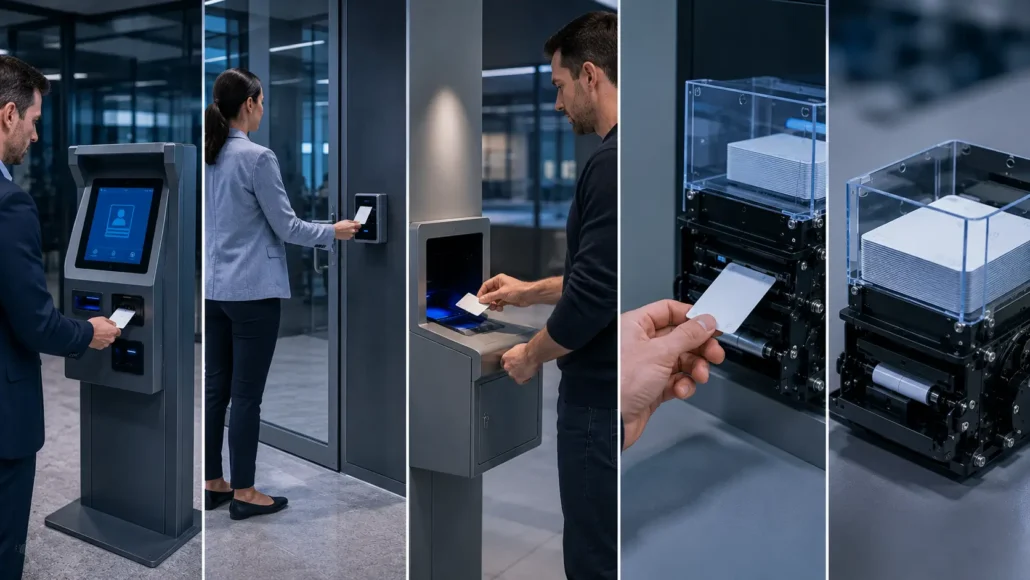
What Experienced Integrators Usually Consider
Before selecting hardware, experienced integrators typically evaluate:
Expected Daily Credential Volume
A lobby kiosk issuing 20 cards per day has very different requirements than a facility issuing hundreds of credentials daily.
Credential Type
Projects may use:
- RFID cards
- MIFARE cards
- Employee badges
- Visitor passes
- Temporary access cards
Card Reuse Requirements
Some projects discard credentials.
Others recover and reuse them.
Operating Environment
Installations may occur in:
- Indoor offices
- Industrial facilities
- Public buildings
- High-security environments
Maintenance Resources
The availability of onsite support often affects hardware selection.
Typical Access Control Kiosk Architecture
Although deployment requirements vary, many projects follow a similar hardware architecture.
Understanding this architecture early helps reduce integration risk and simplifies future system expansion.
An access control kiosk is part of a broader self-service kiosk hardware system architecture. Card dispensers, RFID readers, card collectors, barcode scanners, industrial PCs and access control platforms must work together reliably during credential issuing, activation, recovery and audit workflows.
For a complete overview of how different kiosk hardware modules are planned, connected and maintained in unattended terminal systems, visit our Self-Service Kiosk Hardware System Hub.
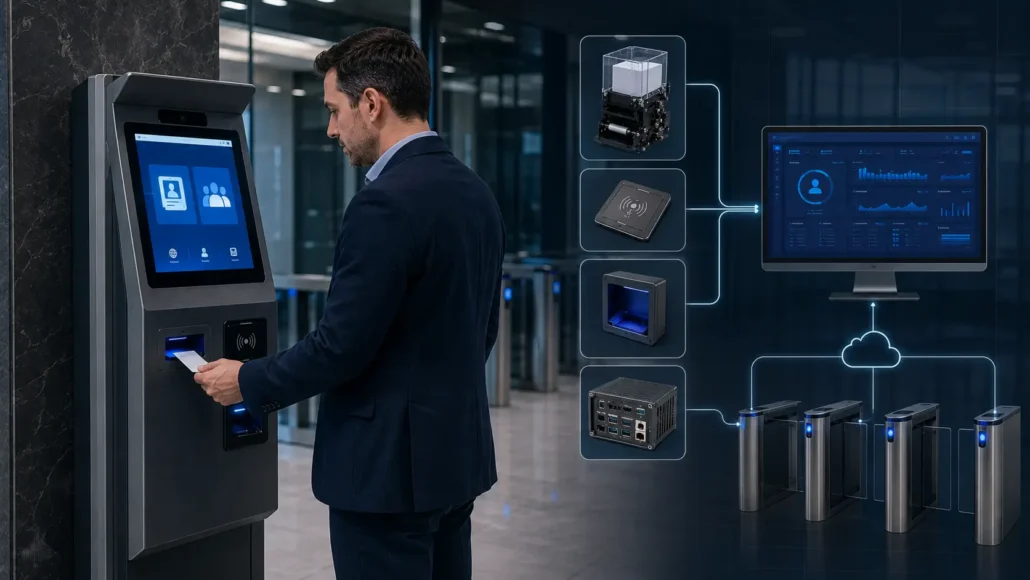
Recommended Hardware Architecture for Access Control Kiosks
| Hardware Module | Typical Function | Integration Concern |
| Touchscreen interface | User registration, access request, visitor or contractor workflow | Durability, UI workflow, installation angle, public-use reliability |
| Card dispenser | RFID card issuing, visitor credential delivery, temporary access card dispensing | Card type, hopper capacity, card thickness, dispensing reliability |
| RFID reader / encoder | Card reading, credential encoding, UID verification, access authorization | Card standard, frequency, encoding workflow, security key management |
| Card collector | Credential recovery, visitor card return, temporary card storage | Card validation, storage capacity, collection workflow, audit requirements |
| Circulating card dispenser | Card issuing, collection, storage and reuse in one workflow | Card lifecycle control, recovery logic, maintenance access |
| QR / barcode scanner | Visitor code scanning, mobile credential verification, appointment validation | Scan distance, lighting condition, barcode format, interface support |
| Industrial PC | Main controller for dispenser, scanner, RFID module and access platform communication | COM ports, USB expansion, Linux or Windows support, 24/7 operation |
| Access control platform | Credential activation, permission assignment, audit record synchronization | API stability, security policy, backend integration, data consistency |
| Remote monitoring module | Device status, error alerts, maintenance reporting | Dispenser status, card collector status, scanner status, network status |
Recommended Hardwars for Access Control Kiosks
Card Dispenser
A card dispenser is often the most visible component in an access control kiosk
SNR-K720 RFID Card Dispenser for Access Control Kiosks
Recommended for visitor credential issuance kiosks, contractor registration terminals, employee access card issuance and standard access control workflows requiring stable unattended card dispensing.
SNR-K750C RFID Card Dispenser with Encoder for Access Credential Issuing
Suitable for RFID access control projects, membership credential issuance, visitor credential systems and access management terminals requiring controlled card transport and encoder integration.
SNR-CD212-M8 RFID Card Issuing Module for Access Control Registration Kiosks
Designed for RFID access card issuance, visitor management systems, modular kiosk integration and compact credential distribution workflows.
SNR-K750-L Circulating Card Dispenser for Access Card Issuing and Recovery
Recommended for reusable RFID card programs, visitor credential circulation, contractor card management and access control systems requiring card issuing, collection, storage and re-issuing in one workflow.
In access control kiosks, the card dispenser is not only a card output module. It’s part of the credential issuing workflow and must work with RFID readers, access control software, SDK commands and security policies. For a broader overview of card issuing modules, card compatibility, hopper design, SDK integration and kiosk deployment considerations, visit our Card Dispenser Hub.
Card Collector
Certain facilities require credential recovery when users leave.
SNR-D3000 Card Collector for Access Credential Recovery
Suitable for visitor exits, employee card return stations, contractor credential recovery and temporary access card collection in unattended access control environments.
SNR-D3000-RF RFID Card Collector for Credential Validation and Recovery
Recommended for RFID credential recovery, government security projects, visitor management exits and high-security facilities requiring credential validation before card collection.
When temporary access cards must be returned, card recovery becomes part of the security workflow. A card collector should be selected according to card type, validation requirement, storage capacity, audit needs and unattended operation conditions.
For more details about card return and recovery hardware, see our card collector selection guide for access credential recovery.
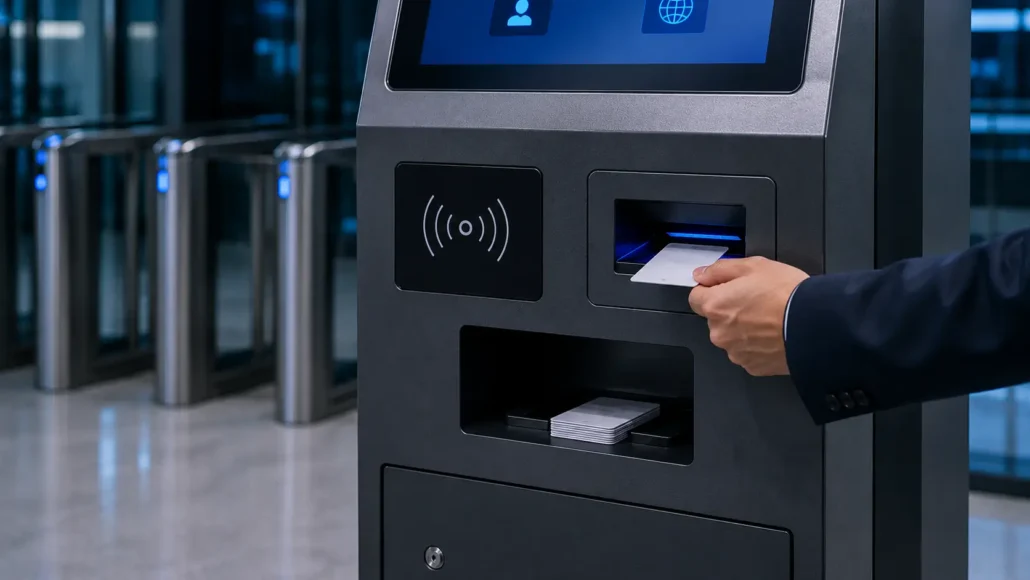
Barcode and QR Code Scanner
SNR-EP8200 Fixed Mount Barcode Scanner for Access Control Kiosk Verification
Suitable for visitor check-in, mobile credential verification, employee identification and QR code access workflows in access control kiosk systems.
Industrial PC
The industrial PC acts as the control center of the kiosk.
SNR-N8P Fanless Industrial Mini PC for Access Control Kiosk Systems
Used as the control platform for card dispensers, RFID modules, scanners, card collectors and access control software communication in continuous self-service access control deployments.
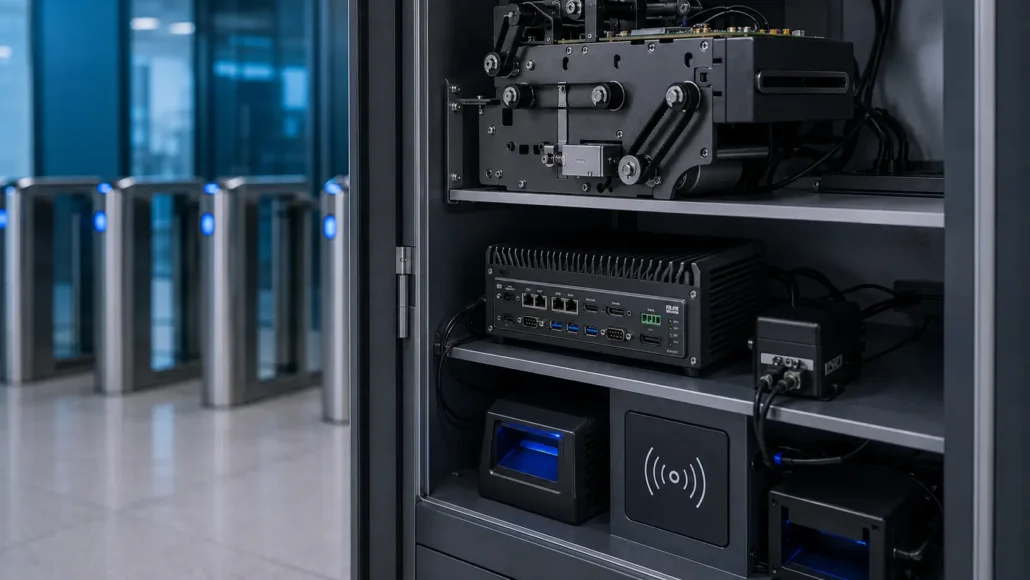
Typical Hardware Selection Matrix for Access Control Kiosk Projects
| Deployment Type | Typical Hardware Configuration | Main Evaluation Point |
| Visitor access kiosk | Card dispenser + QR scanner + industrial PC + visitor management platform | Temporary credential issuing and visitor workflow consistency |
| Contractor access terminal | RFID card dispenser + ID verification + access control platform | Access expiration, identity verification and audit records |
| Employee card issuance kiosk | Card dispenser + RFID reader/encoder + industrial PC | Card encoding, employee credential activation and system integration |
| Secure facility access kiosk | Card dispenser + RFID encoder + scanner + access control platform | Security policy, credential verification and backend authorization |
| Credential return station | Card collector + RFID verification + industrial PC | Card recovery, validation and audit trail |
| Reusable card circulation system | Circulating card dispenser + collector + RFID verification | Card lifecycle control and replacement cost reduction |
| Multi-site access control network | Standardized kiosk hardware + remote monitoring + access platform integration | Maintenance consistency and scalable deployment support |
How Most Access Control Systems Evolve
Many projects begin with a simple visitor registration system.
Over time, new requirements typically appear:
Visitor Registration
↓
Temporary Access Cards
↓
Contractor Access Management
↓
Credential Recovery
↓
RFID Verification
↓
Full Access Lifecycle Management
This evolution is common in:
- Government facilities
- Manufacturing plants
- Corporate campuses
- Hospitals
- Research institutions
Projects that anticipate future requirements often achieve lower deployment costs and fewer hardware redesigns.
Deployment Reality: What Integrators Usually Discover After Installation
Laboratory testing often focuses on hardware functionality.
Real deployments introduce additional variables.
Cards Are Not Returned
Visitors and contractors may leave facilities without returning credentials.
Credential Costs Increase
Large facilities can issue thousands of temporary cards each year.
Without recovery procedures, replacement costs become visible very quickly.
RFID Verification Becomes Necessary
Some organizations initially issue credentials without verification requirements.
Later, security teams may require returned cards to be validated before collection.
Maintenance Resources Are Limited
Hardware that appears easy to manage during testing may become difficult to maintain when deployed across multiple sites.
Security Policies Change
Access control requirements often evolve over time, especially in government, healthcare and industrial environments.
Successful projects are usually designed with these realities in mind from the beginning.
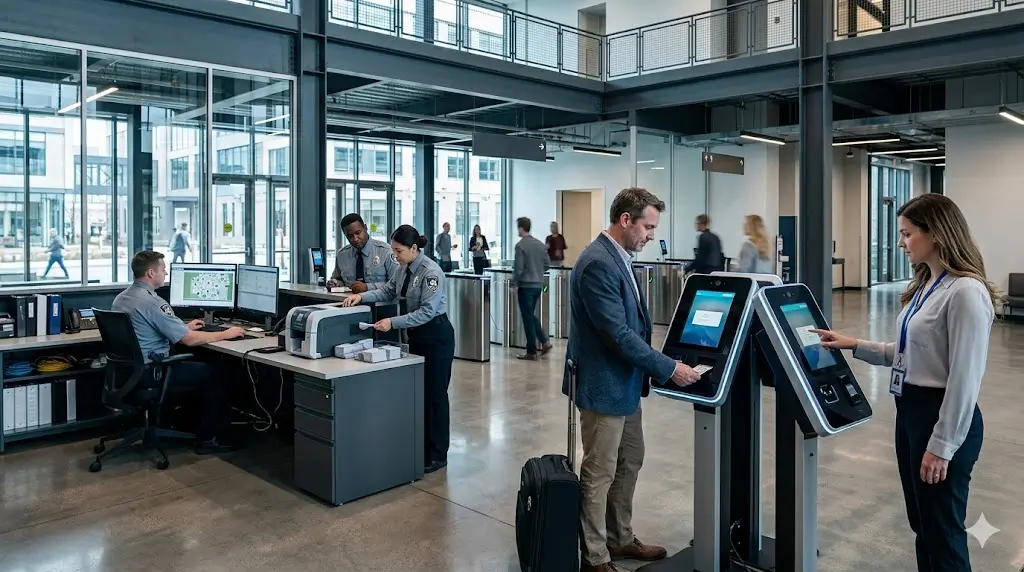
What Successful Access Control Deployments Usually Have in Common
Although every project is different, successful deployments often share several characteristics.
They usually:
- Define credential ownership clearly
- Plan card recovery workflows early
- Consider credential reuse requirements
- Verify RFID compatibility before deployment
- Select hardware with long-term maintenance in mind
- Leave room for future system expansion
These considerations often have a greater impact on long-term project success than hardware specifications alone.
Why SNRO Supports Access Control Projects
SNRO provides hardware commonly used in self-service credential management systems.
Advantages include:
- Card issuance hardware
- Card collection hardware
- RFID credential workflows
- Scanner integration
- Industrial PC support
- SDK and technical support
- Long-term product availability
This allows system integrators to source multiple hardware components from a single supplier.
Conclusion
Access control kiosks are no longer simple card issuance terminals.
Modern deployments often involve identity verification, credential management, RFID processing, access authorization and card lifecycle management.
Selecting the right hardware requires more than comparing specifications.
Experienced integrators evaluate how credentials will be issued, managed, recovered and potentially reused throughout the entire lifecycle.
Whether your project requires a card dispenser, card collector, circulating card dispenser, RFID reader, scanner or industrial PC, understanding the complete workflow before deployment is one of the most effective ways to reduce risk and improve long-term system performance.
Related Products
- RFID card dispensers for access control kiosks
- Card collectors for access credential recovery
- Fixed mount barcode scanners for access control verification
- Industrial mini PCs for access control kiosk systems
- Kiosk thermal printers for access control registration receipts
Related Resources
- Card dispenser integration knowledge hub
- Access control card dispenser selection guide
- RFID card issuance workflow for access control kiosks
- Card dispenser SDK and access control platform integration guide
- Card dispenser vs card collector for access credential lifecycle management
- Card collector selection guide for access credential recovery
- Single hopper vs multi-hopper card dispenser for credential issuing systems
- Common RFID card dispensing challenges in access control kiosks
- Why card dispensers fail in access control kiosk deployments
- Industrial PC for access control kiosk systems
- RFID card dispenser vs magnetic card dispenser for access credential systems
Related Solutions
- Visitor management hardware for temporary access credential workflows
- Smart locker hardware for RFID and QR-based access workflows
- Hotel self check-in hardware for RFID key card issuing
- Banking self-service terminal hardware for secure identity verification
Technical Resources for Access Control Kiosk Integration
- SDK packages for card dispenser integration
- Communication protocol documents for RFID credential workflows
- Mechanical drawings and CAD files for card dispenser installation
- User manuals for card dispenser and card collector testing
- Linux and Windows drivers for access control kiosk hardware
FAQ
What hardware is required for an access control kiosk?
Most systems use a card dispenser, RFID reader, industrial PC, scanner and access control software platform.
What is the purpose of a card dispenser in access control?
It automatically issues access credentials after authorization.
When should a card collector be used?
When credentials need to be returned, recovered or reused.
Can access control kiosks use RFID cards?
Yes. RFID cards are widely used for employee, visitor and contractor access management.
Why is an industrial PC important?
The industrial PC controls device communication, credential processing and software integration.
Can access control kiosks support visitor management?
Yes. Many visitor management systems use a similar hardware architecture.
Which SNRO model supports issuing and collecting cards?
SNR-K750-L supports card issuing, collection and re-issuing workflows.
Which scanner is recommended for access control kiosks?
SNR-EP8200 is suitable for QR code, barcode and visitor credential verification applications.
Why is card lifecycle management important?
It helps reduce credential replacement costs, improves security and supports credential reuse workflows.
What should be evaluated before selecting access control hardware?
Credential type, issuance volume, RFID compatibility, card recovery requirements, maintenance resources and future expansion plans should all be considered.
What should integrators evaluate before deploying an access control kiosk?
System integrators should evaluate credential type, daily issuance volume, RFID card standard, card recovery workflow, SDK support, access control platform integration, maintenance access, security policy, and future expansion requirements.
Can access control kiosks issue and recover visitor cards automatically?
Yes. Depending on the hardware architecture, an access control kiosk can issue visitor cards through a card dispenser and recover returned cards through a card collector or circulating card dispenser. RFID verification may be used to confirm the returned credential.
Why is RFID compatibility important in access control kiosk projects?
RFID compatibility affects card reading, encoding, credential activation, and access authorization. Integrators should confirm card standard, frequency, reader or encoder support, key management, and backend system compatibility before deployment.
Need Help Planning Your Access Control Kiosk Hardware?
If you are planning an access control kiosk, visitor credential terminal, contractor registration station, employee card issuance kiosk, or reusable RFID card management system, SNRO can help review your hardware configuration before sample testing.
Share your credential type, RFID card standard, expected daily issuance volume, card recovery requirement, access control platform, operating system, scanner requirement and security policy. Our team will recommend a suitable card dispenser, card collector, RFID module, scanner and industrial controller configuration for your access control kiosk deployment.


