Blog
58mm vs 80mm Kiosk Printer: How to Choose the Right Paper Width for Self-Service Kiosks

Introduction
Choosing between a 58mm and 80mm kiosk printer looks like a small hardware decision.
In a real self-service kiosk project, it affects much more than paper width. It affects receipt readability, QR code size, cabinet layout, paper roll capacity, output slot design, service access, software integration, and long-term operation.
A printer that works well on a test bench may still create problems inside a narrow kiosk cabinet. A receipt that looks acceptable with sample text may become crowded when the real order, payment, tax, coupon, or multilingual content is added.
That is why experienced system integrators do not choose a kiosk printer only by paper width or price. They start with the real printout, the kiosk structure, and the service workflow.
This guide compares 58mm and 80mm kiosk printers from a project selection view. It is written for kiosk manufacturers, system integrators, OEM solution providers, and hardware teams that need a practical printer direction before prototype testing or rollout.
Quick Answer: 58mm or 80mm Kiosk Printer?
For most self-service kiosks that print full receipts, payment records, QR codes, barcodes, tax information, order details, or customer instructions, an **80mm kiosk printer** is usually the safer starting point.
It gives more layout space and is easier to support when the printed content grows during the project.
A 58mm or 60mm kiosk printer can still be a good choice when the printout is short, the cabinet is compact, and the workflow only needs a queue number, pickup ticket, simple parking slip, or short transaction confirmation.
The best decision should be made after testing a real printout sample, not only after checking the printer width.
| Project Condition | Better Printer Direction |
|---|---|
| Short queue number or pickup ticket | 58mm / 60mm kiosk printer |
| Compact kiosk with limited internal space | 58mm / 60mm compact printer or panel mount printer |
| Full transaction receipt | 80mm kiosk printer |
| Receipt with QR code or barcode | Usually 80mm kiosk printer |
| Food ordering receipt with modifiers | Usually 80mm kiosk printer |
| Simple parking receipt | 58mm / 60mm or 80mm, depending on content |
| High-volume unattended kiosk | 80mm kiosk printer or presenter printer |
| Users may pull paper early | Presenter kiosk printer |
| Front-panel embedded installation | Panel mount printer direction |
Paper width is only one part of kiosk printer selection. Printer structure, cutter behavior, presenter requirements, driver support, SDK resources, cabinet layout and maintenance access should be reviewed together before the kiosk enclosure is finalized.
For a broader overview of embedded kiosk printers, presenter printers, panel mount printers and application-based printer selection, visit our Kiosk Printer Hub.
Start With the Kiosk Workflow, Not the Paper Width
The first question is not Is 58mm cheaper? or Is 80mm more professional?
The first question is: **what job does the printed paper need to do in the kiosk workflow?**
In some kiosks, the paper is only a short confirmation slip. It may show a queue number, pickup code, parking entry time, or simple transaction ID. In this case, a compact printer may be enough if the content remains readable.
In other kiosks, the paper is a full customer document. It may include purchased items, modifiers, payment status, tax content, store information, loyalty points, refund rules, QR code, barcode, or service instructions. In this case, 80mm often becomes the practical direction.
The printer decision should also match the physical design of the kiosk. A full-size self-checkout kiosk has different internal space from a wall-mounted ordering terminal. A high-volume airport or QSR kiosk has different service needs from a small queue ticket machine.
If the printer is selected too late, the enclosure team may need to redesign the paper outlet, service door, internal bracket, or wiring path. That is where a small paper-width decision becomes a project delay.
The 58mm or 80mm decision should be made inside the full kiosk printer selection process, not as an isolated paper-width choice. Application workflow, printout content, cabinet space, output method and service operation should be evaluated together.
For a broader selection framework, see our kiosk printer selection guide for self-service systems.
Basic Difference Between 58mm and 80mm Kiosk Printers
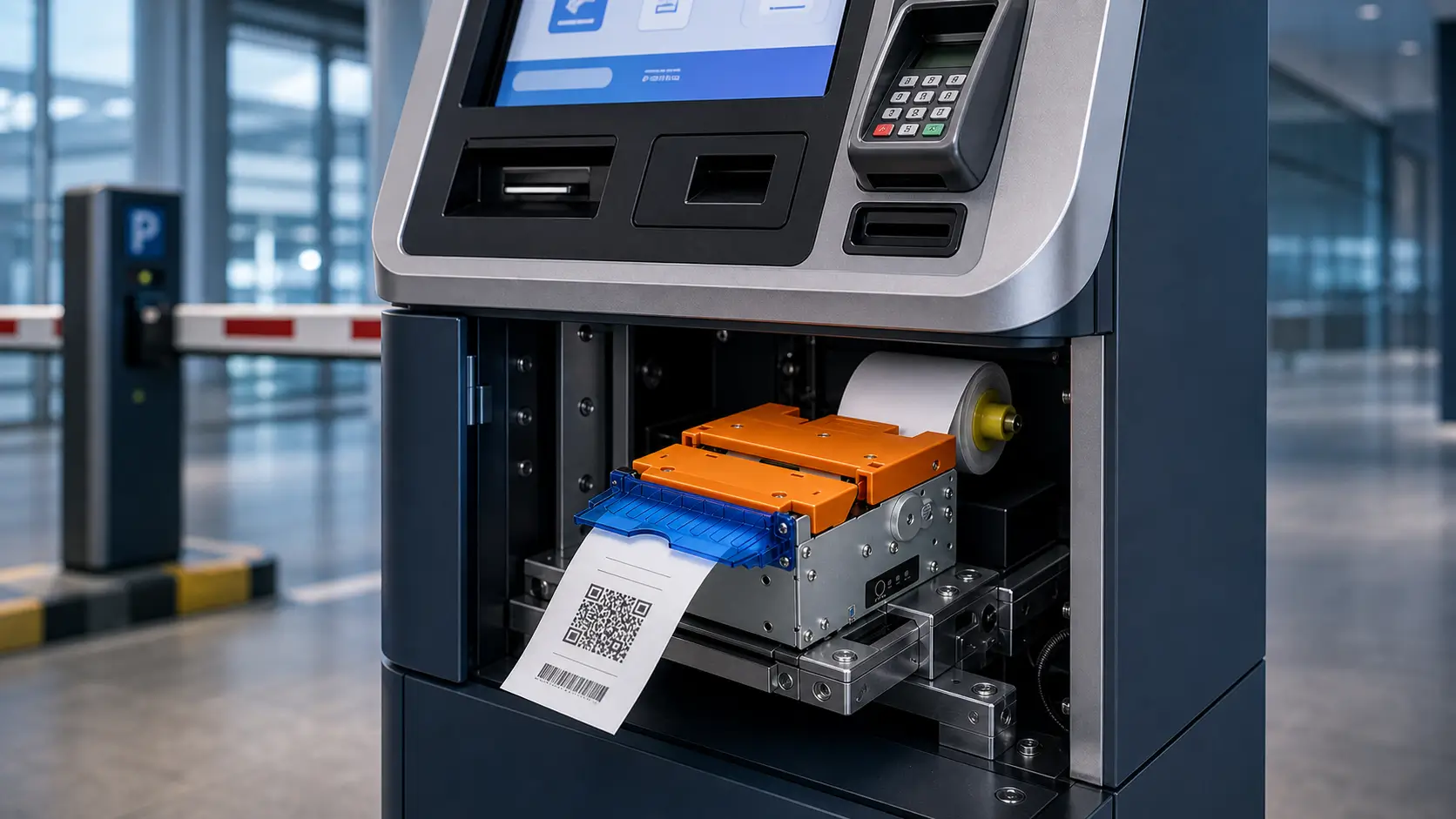
A 58mm kiosk printer uses narrower paper. In many compact projects, it helps reduce the front opening, internal printer space, and paper roll size.
An 80mm kiosk printer uses wider paper. It gives more room for text, QR codes, barcodes, logo areas, and structured receipt layouts.
The important point is simple: **58mm saves space, while 80mm gives more layout margin.**
Neither direction is automatically correct. The right choice depends on the printout and the kiosk structure.
58mm vs 80mm Kiosk Printer Comparison
| Selection Point | 58mm / 60mm Kiosk Printer | 80mm Kiosk Printer |
|---|---|---|
| Best fit | Short tickets, queue slips, pickup numbers, compact kiosks | Full receipts, payment records, order details, QR codes |
| Printout length | Short confirmation or simple service slip | Longer receipt or detailed transaction document |
| Text layout | Limited line width, more line wrapping | More room for item names and structured receipt layout |
| QR code room | Limited, must be tested carefully | More layout room for QR codes and barcode content |
| Cabinet space | Easier for narrow or compact cabinets | Requires more front-panel and internal space |
| Paper roll capacity | Often smaller in compact designs | Can support larger roll planning in many kiosk structures |
| Maintenance frequency | Depends on roll size and usage volume | Often better for high-volume sites if larger rolls are used |
| User-facing impression | Functional and compact | Clearer for full customer-facing receipts |
| Typical kiosk use | Queue, pickup, parking, simple service ticket | Self-checkout, food ordering, ticketing, healthcare, payment |
| Project risk | Content may become crowded if requirements grow | Needs more space and enclosure planning |
What Actually Changes When Receipt Width Changes?
Paper width changes more than the look of a receipt. It changes the way the hardware, software, and service workflow fit together.
Receipt Layout and Readability
On 58mm paper, every line is short. Long item names, modifier text, addresses, tax lines, and payment references can wrap into multiple lines.
That may be acceptable for a simple queue slip. It becomes harder to accept when the customer must read order details, payment status, pickup instructions, or after-sale information.
On 80mm paper, the layout has more margin. The software team can keep item names, prices, QR codes, and instructions cleaner. It is also easier to keep the receipt readable when the customer later adds loyalty content, coupons, or multilingual text.
Project manager note: do not approve 58mm only because the cabinet is tight. Print the real receipt first. If the final content is not ready, test with a worst-case sample.
QR Code and Barcode Space
QR codes and barcodes can be printed on both 58mm and 80mm printers.
The question is not only whether the printer can print them. The real question is whether the code has enough size, quiet zone, contrast, and position for reliable scanning in the target environment.
If the kiosk prints mobile payment QR codes, pickup QR codes, ticket validation codes, return codes, or digital receipt links, 80mm usually gives the software team more space to build a stable layout.
For 58mm or 60mm paper, test the real QR code size with the real scanner or phone camera used in the project. Do not judge from a desktop preview.
When the printed QR code or barcode must be scanned by another kiosk module, test the code size and quiet zone together with the actual scanner.
For scanner-side hardware selection, see our fixed mount barcode scanners for QR and barcode verification.
Cabinet Space and Paper Roll Planning
58mm / 60mm printers are often easier to place in compact machines. They may fit better in slim cabinets, countertop kiosks, wall-mounted terminals, or small service devices.
80mm printers need more paper width and usually more planning around the paper roll, paper outlet, cutter position, and internal bracket.
This does not mean 80mm is difficult to integrate. It means the mechanical team should confirm the layout early.
Check the front opening, embedded depth, paper roll diameter, wiring path, controller position, payment module, scanner, and service door before locking the enclosure drawing.
When cabinet depth, front-panel space or paper loading direction becomes the main constraint, the project team should also evaluate panel mount printer options before locking the enclosure design.
For compact kiosk structures, see our panel mount printer guide for compact ordering kiosks.
Maintenance and Paper Replacement
Printer maintenance is not only about printer width. It depends on paper roll capacity, paper loading direction, service access, usage volume, and staff workflow.
A compact 58mm printer may be easy to install, but it may use a smaller paper roll in some kiosk designs. If the site has high traffic, staff may need to replace paper more often.
An 80mm printer may require more space, but in many full-size kiosks it can support better paper roll planning. This can reduce service interruptions when the kiosk prints many receipts per day.
For unattended deployments, paper-out feedback and printer status reporting are also important. The software should know when paper is low, paper is out, or the cutter needs attention.
Cutter and Presenter Planning
Many kiosk projects need an auto cutter. A clean cut helps users collect the receipt and helps the kiosk keep a professional output area.
For standard supervised workflows, a cutter printer may be enough.
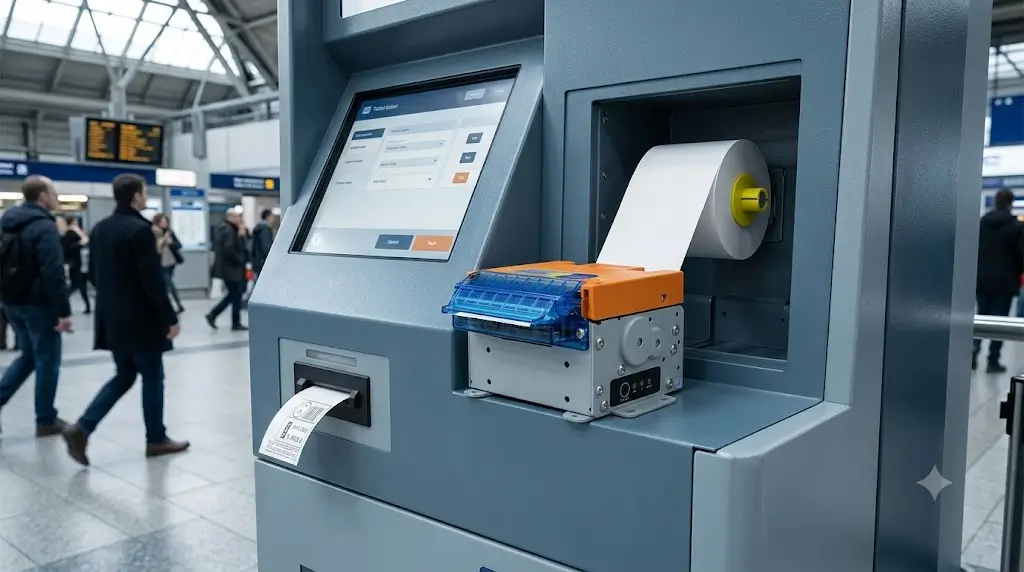
For unattended, high-volume, or payment-related kiosks, a presenter printer may be worth evaluating. A presenter can hold the printed receipt and present it in a more controlled way. This can reduce problems caused by users pulling paper too early.
The decision between cutter and presenter is separate from the decision between 58mm and 80mm. Both decisions should be checked together.
The decision between a cutter printer and a presenter printer should be tested together with paper width, output slot design and user collection behavior.
For a deeper comparison, see our presenter printer vs auto cutter printer for unattended kiosks.
Application-Based Selection Guide
The same printer width can behave differently across applications. Use the following guide as a starting point, then confirm with real print samples.
| Application | Typical Printout | Practical Printer Direction |
|---|---|---|
| Self-checkout kiosk | Item list, payment record, tax, return info, QR code | Usually 80mm |
| Food ordering kiosk | Order details, modifiers, pickup number, payment record | Usually 80mm for full receipts; 58mm / 60mm for short pickup tickets |
| Food service kiosk | Pickup ticket, queue slip, coupon, full service receipt | Depends on printout type |
| Ticket kiosk | Ticket data, event or route info, seat, time, barcode | Usually 80mm |
| Parking payment kiosk | Entry time, exit time, fee, QR payment, invoice info | 58mm / 60mm for simple slips; 80mm for richer content |
| Healthcare kiosk | Appointment, department, room, instructions, patient reference | Usually 80mm |
| Sports betting or lottery terminal | Ticket ID, bet details, barcode, validation reference | Usually 80mm when validation content is detailed |
| Bitcoin ATM or payment kiosk | Transaction record, wallet reference, QR code, compliance text | Usually 80mm |
| Compact wall-mounted kiosk | Short ticket, receipt, pickup code | 58mm / 60mm or panel mount printer direction |
Self-Checkout Kiosks
Self-checkout receipts usually include multiple product lines, payment information, tax, store details, return rules, loyalty content, and sometimes a QR code for digital receipts.
For this workflow, 80mm is usually the better starting point. It gives more room for clean receipt layout and future software changes.
If the kiosk is a very compact retail terminal and the receipt is short, 58mm / 60mm can be tested. But for grocery, convenience store, and general retail self-checkout, 80mm is normally easier to support.
Self-checkout kiosks usually require full customer receipts, payment records, return information and QR or barcode content. For retail transaction hardware planning, see our self-checkout hardware systems for retail receipt printing workflows.
Food Ordering Kiosks
Food ordering receipts can become crowded quickly. Menu item names, modifiers, portion sizes, add-ons, pickup numbers, tax lines, and payment status all take space.
If the kiosk only prints a short pickup number, 58mm / 60mm may work.
If the kiosk prints a full order receipt, especially for QSR, restaurant, food court, or takeaway workflows, 80mm is usually a safer direction.
For compact ordering terminals, also compare panel mount printer options. A panel mount printer may fit the front-panel structure better than a standard embedded kiosk printer.
Food ordering kiosks often require a more detailed printer structure review, especially when the project compares panel mount printers, embedded kiosk printers and presenter printers.
For restaurant and QSR applications, see our food ordering kiosk printer selection guide.
Food Service Kiosks
Food service is broader than food ordering. The printout may be a queue slip, coupon, pickup ticket, service confirmation, kitchen reference, or full receipt.
Start by defining the printout type. A queue slip may not need 80mm. A full service receipt with QR code and payment details usually benefits from 80mm.
This page should link to the food service kiosk printer guide for deeper scenario planning.
Food service kiosks may print pickup tickets, queue slips, coupons, kitchen references or full receipts. For broader food service scenario planning, see our food service kiosk printer guide for restaurant deployments.
Ticket Kiosks
Ticket kiosks often need barcode or QR code content. The ticket may also include time, route, gate, seat, validation reference, terms, or customer instructions.
If the barcode or QR code must be scanned at a gate, counter, or entry point, layout margin is important. In many ticketing projects, 80mm is the practical starting point.
Ticket kiosks often require barcode or QR code readability, clear validation content and stable ticket output. For ticketing application planning, see our ticket vending machine hardware for barcode and QR ticket output.
Parking Payment Kiosks
Parking receipts vary a lot.
A simple entry or exit receipt may work on 58mm / 60mm paper. A parking payment kiosk that prints QR payment references, invoice information, advertisements, discount codes, or membership content may need 80mm.
The decision should follow the actual ticket format and the parking system workflow.
Parking payment receipts can range from simple slips to richer QR payment or invoice content. For parking-specific ticketing hardware planning, see our parking ticketing hardware solution for parking receipt and QR payment workflows.
Healthcare Kiosks
Healthcare kiosk printouts may include appointment time, department, room number, queue number, preparation instructions, payment reference, or follow-up information.
Clarity matters in this environment. If the printed paper gives directions to a patient or visitor, 80mm is usually easier to read and manage.
For compact medical equipment or short report references, a compact embedded printer may still fit. Test the real output before confirming.
What Experienced Integrators Usually Evaluate
An experienced integrator usually treats printer selection as part of the kiosk architecture, not as a late accessory.
The team should check the printer from four sides: printed content, mechanical fit, electrical and software integration, and service operation.
Printed Content
Start with a real receipt sample.
If the final software is not ready, build a worst-case sample. Include the longest item name, longest modifier, tax line, QR code, barcode, footer, multi-language text, and any content the operator may add later.
Do not approve the printer width from a clean demo receipt.
Mechanical Fit
Check the printer against the cabinet drawing.
Confirm the front outlet, paper roll position, embedded depth, mounting method, service door, and clearance around the cutter or presenter.
The printer should not fight for space with the controller, scanner, payment device, cable harness, cooling fan, or card dispenser.
Electrical and Software Integration
The interface must match the kiosk controller and software plan.
Check whether the project needs USB, serial, Ethernet, TTL, or another interface. Also confirm driver, SDK, command set, operating system support, and printer status feedback.
For unattended kiosks, the software should be able to detect paper-out, cover-open, cutter, or jam-related events where the printer supports those signals.
For unattended kiosks, the software may need to read paper-out, cover-open, cutter or jam status where the printer supports these signals.
For integration planning, see our kiosk printer SDK and status feedback integration guide.
Service Operation
A kiosk that is easy to assemble may still be hard to maintain.
Check how staff will replace the paper roll. Can they access it from the front? Do they need to open the full cabinet? Will the paper path be visible? Can paper be changed quickly during a busy period?
These questions matter more after deployment than they do during the first prototype.
Service access often becomes more important after deployment than during prototype testing. Paper roll replacement, paper path visibility and recovery workflow should be checked early.
For broader serviceability planning, see our maintenance accessibility guide for self-service kiosk printer deployment.
Final Selection Checklist
Before approving a 58mm or 80mm kiosk printer, review the following checklist with the mechanical, electrical, and software teams.
| Check Item | Why It Matters |
|---|---|
| Real printout sample | Confirms whether 58mm / 60mm is enough or 80mm is required |
| Longest receipt content | Tests item names, modifiers, tax, footer, and multi-language text |
| QR code or barcode content | Needs enough width, quiet zone, and print clarity |
| Kiosk structure | Determines compact printer, embedded kiosk printer, panel mount, or presenter direction |
| Front panel opening | Must match printer structure and user collection angle |
| Embedded depth | Prevents conflict with controller, payment device, scanner, and wiring |
| Paper roll space | Affects refill frequency and service access |
| Paper loading method | Determines whether staff can reload paper quickly |
| Output method | Standard cutter or presenter affects user collection behavior |
| Cutter position | Must match the paper outlet and enclosure design |
| Interface | Must match the host controller and software plan |
| Driver or SDK availability | Reduces integration risk during prototype testing |
| Printer status feedback | Helps software handle paper-out, cutter, or jam events |
| Power margin | Supports stable printing and cutting under load |
| Pilot test result | Confirms performance before mass production |
Recommended SNRO Kiosk Printer Directions
After the printout, cabinet structure, output method, and integration plan are clear, the model shortlist becomes much easier.
The following SNRO models are practical starting points. The final choice should still be confirmed against the real receipt sample, cabinet drawing, paper loading direction, interface, operating system, and expected deployment quantity.
SNR-KP602 Series Compact 58mm / 60mm Kiosk Printer for Short Tickets
Consider SNR-KP602 Series when the kiosk prints short receipts, queue slips, pickup tickets, parking slips or simple service confirmations in compact self-service terminals.
SNR-KP800-VX 80mm Kiosk Printer for Full Receipt Output
Consider SNR-KP800 Series when the kiosk needs standard 80mm receipt output for self-checkout, food ordering, ticketing, healthcare, payment or other full-receipt workflows where readability and QR code space matter.
SNR-KP805 Cost-Sensitive 80mm Kiosk Printer for Receipt Output
Consider SNR-KP805 when the project needs an 80mm kiosk printer direction but must manage hardware cost for standard payment receipts, food service receipts, compact retail terminals or OEM self-service projects.
SNR-KP802-VX Presenter Kiosk Printer for High-Volume Unattended Kiosks
Consider SNR-KP802-VX when controlled paper output is important, especially for unattended payment kiosks, self-checkout kiosks, ticketing kiosks, public service terminals and high-volume QSR or retail kiosks.
SNR-EP5803 / EP8002 / EP8303 / EP8304 / EP8305 Panel Mount Printers for Compact Kiosks
SNR-EP5803 / EP8002 / EP8303 / EP8304 / EP8305 Panel Mount Printers for Compact Kiosks
What Successful Deployments Usually Have in Common
Successful kiosk printer deployments usually share the same pattern.
The printer is selected early. The software team prints real samples. The mechanical team checks the cabinet drawing. The electrical team confirms interface and power margin. The operation team checks paper replacement and service access.
The project does not wait until mass production to discover that the QR code is too small, the paper outlet is misaligned, or staff cannot replace the roll quickly.
The safest approach is simple:
1. Define the real printed content.
2. Test 58mm / 60mm and 80mm layouts if the decision is not obvious.
3. Confirm cabinet space and paper path.
4. Check cutter or presenter requirements.
5. Validate interface, driver, SDK, and status feedback.
6. Run a pilot test before rollout.
Conclusion
The choice between a 58mm and 80mm kiosk printer should not be made by paper width alone.
For short tickets, queue slips, pickup numbers, parking slips, and compact kiosk structures, a 58mm or 60mm printer can be the right direction.
For full receipts, QR codes, barcodes, payment records, tax details, food ordering receipts, self-checkout receipts, ticketing documents, and healthcare instructions, an 80mm kiosk printer is usually the safer starting point.
The practical rule is this: choose 58mm / 60mm when the printout is simple and space is tight. Choose 80mm when readability, QR code room, and future content flexibility matter.
Before mass production, test the real receipt sample inside the real kiosk structure. That one step can prevent many layout, maintenance, and user-experience problems later.
Related Resources
Main Guides
- Kiosk printer integration knowledge hub
- Self-ordering kiosk hardware system solution
- Food ordering kiosk printer selection guide
- Food service kiosk printer guide for restaurant deployments
- Self-checkout kiosk printer selection guide
- Ticket kiosk printer selection guide
- Panel mount printer guide for compact ordering kiosks
Product Category
- 80mm kiosk printer resources for full receipt output
- Presenter kiosk printer resources for controlled receipt delivery
- Panel mount thermal printers for compact kiosk integration
- Kiosk thermal printers for self-service receipt printing
Related Products
- SNR-KP800-VX 80mm kiosk printer for full receipt output
- SNR-KP802-VX presenter kiosk printer for controlled paper output
- SNR-KP805 80mm kiosk thermal printer for standard receipt output
- SNR-KP602 compact 58mm / 60mm kiosk printer for short tickets
- SNR-EP5803 58mm panel printer with cutter for compact kiosks
- SNR-EP8002 80mm panel printer with cutter for compact kiosks
FAQ
Is an 80mm kiosk printer always better than a 58mm kiosk printer?
No. An 80mm kiosk printer gives more receipt layout space, but it also needs more cabinet and paper roll planning. A 58mm or 60mm printer can be better for short tickets, compact kiosks, and simple service slips.
When is a 58mm kiosk printer enough?
A 58mm kiosk printer may be enough when the printout only includes a queue number, pickup code, parking time, short transaction ID, or simple confirmation. It should be tested with the real printout before approval.
When should I choose an 80mm kiosk printer?
Choose an 80mm kiosk printer when the receipt includes order details, payment information, QR codes, barcodes, tax lines, long item names, service instructions, or multi-language content. It is usually safer for full customer-facing receipts.
Is 80mm better for QR codes and barcodes?
In many projects, yes. An 80mm layout gives more room for QR code size, barcode width, quiet zones, and surrounding text. A 58mm printer can still print codes, but the real code should be tested with the target scanner or phone camera.
Does an 80mm printer require more cabinet space?
Usually yes. An 80mm printer needs more paper width and may require more space for the paper roll, output slot, cutter, presenter, mounting bracket, and service access. The cabinet drawing should be checked before the model is approved.
Should a kiosk use a cutter printer or presenter printer?
A standard cutter printer can work well when users collect receipts normally and the kiosk is supervised. A presenter printer may be better for unattended or high-volume kiosks where early pulling, uncollected paper, or controlled receipt output is a concern.
Can one kiosk design support both 58mm and 80mm printer options?
It may be possible, but it must be planned early. The enclosure needs enough space, proper mounting positions, and a paper outlet design that can support both directions. Do not assume both sizes will fit after the cabinet tooling is finished.
What should be tested before choosing between 58mm and 80mm?
Test the real printout, longest receipt content, QR code or barcode readability, cabinet fit, paper loading method, cutter or presenter behavior, interface, driver or SDK support, printer status feedback, and pilot operation result.
Which SNRO printer models can be considered for 58mm and 80mm kiosk projects?
For compact 58mm / 60mm output, evaluate SNR-KP602 Series or SNR-EP5803 for panel mount projects. For 80mm embedded kiosk printer projects, evaluate SNR-KP800 Series or SNR-KP805. For controlled output, evaluate SNR-KP802-VX. For 80mm panel mount projects, evaluate SNR-EP8002 or the SNR-EP8303 / EP8304 / EP8305 direction.
Can SNRO help select the right kiosk printer width?
Yes. SNRO can review the printout, kiosk structure, interface requirement, paper loading direction, and expected deployment environment to recommend a practical printer direction for prototype testing and rollout.
Need Help Choosing Between 58mm and 80mm Kiosk Printers?
If you are designing a self-service kiosk and are unsure whether to use a 58mm, 60mm, 80mm, panel mount or presenter printer direction, SNRO can help review your printout and kiosk structure before prototype testing.
Share your receipt sample, QR or barcode requirement, cabinet layout, paper roll space, output method, operating system, interface, paper loading direction and expected transaction volume. Our team will recommend a practical kiosk printer direction for your deployment.